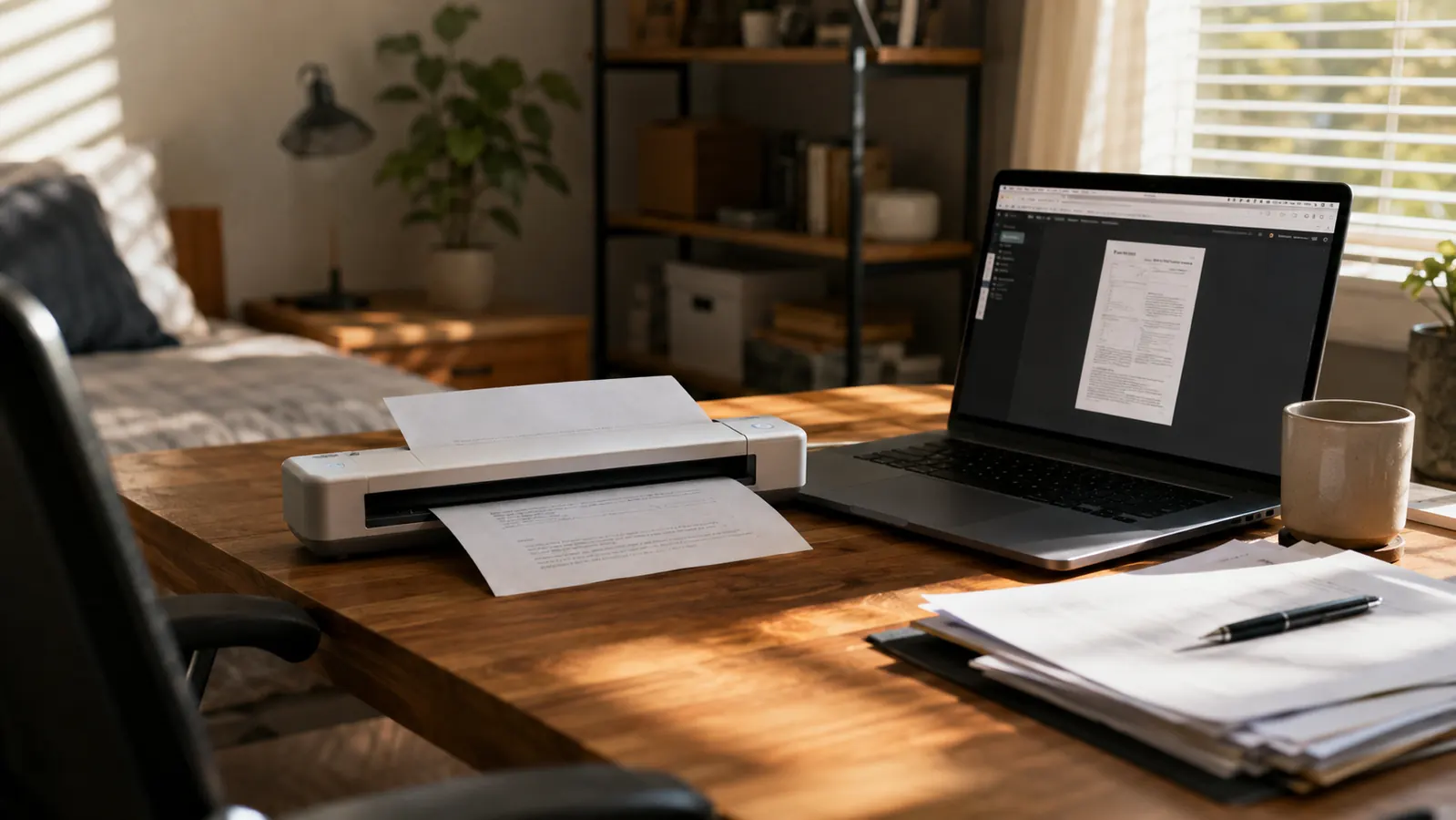
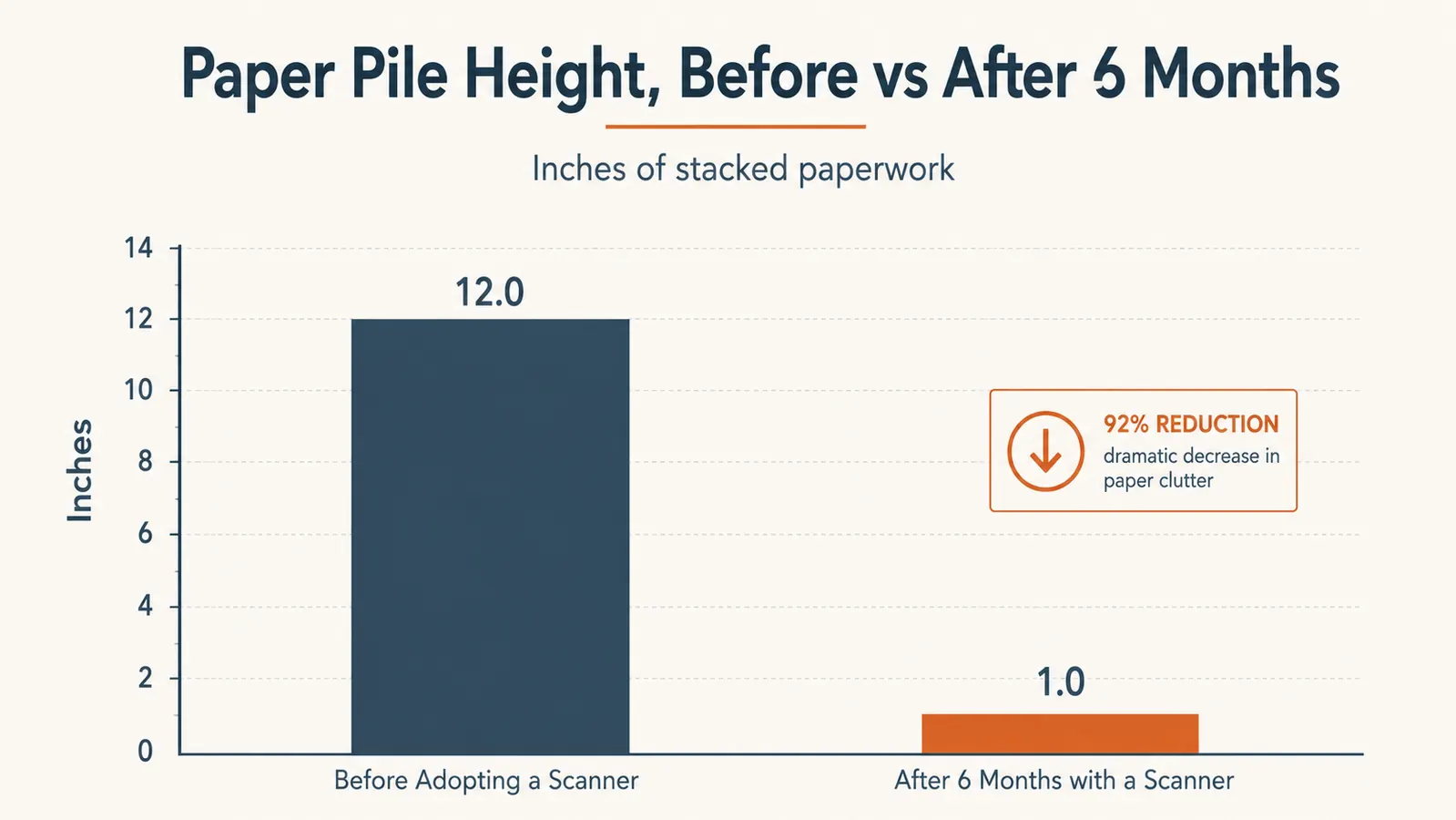
My name is Nate Colburn, and I've worked remote IT project management for going on eight years now, out of a spare bedroom I've slowly converted into a real office. Somewhere around month three of managing a client migration project, I realized I had a problem that had nothing to do with servers or timelines: a wire inbox tray on the corner of my desk that kept filling up faster than I could deal with it. Signed statements of work, vendor invoices, a lease renewal, my kid's school forms, all of it landing in the same tray because scanning anything meant walking to the all-in-one printer in the garage, which was slow, loud, and connected to a computer I barely used anymore. Six months ago I bought the Brother DS-640, a compact mobile document scanner about the size of a stapler, specifically to make that tray disappear.
It has, mostly. This review covers what actually happened after six months and somewhere north of 1,400 scanned pages, not a first-week unboxing impression. I've used the Brother DS-640 for client contracts that needed to go into a project archive, invoices for expense reports, insurance paperwork, and a stretch of tax documents that would have otherwise sat in a folder until April. If you're a remote worker drowning in the same kind of paper that email somehow never fully replaced, here's what I learned running the DS-640 as a daily tool instead of an occasional convenience.
Quick Verdict
The Quick Verdict
A fast, genuinely portable single-sheet scanner that cleared my paperwork backlog in the first month, with a learning curve around multi-page documents and a software experience that's fine but not exciting.
Amazon Check Today's Price →Tired of a Paper Tray That Never Actually Empties?
If your desk has a stack of paperwork you keep meaning to deal with, the Brother DS-640 is the tool that finally cleared mine in about three weeks of five-minute sessions. Check current availability and see today's price on Amazon.
Amazon Check Today's Price on Amazon →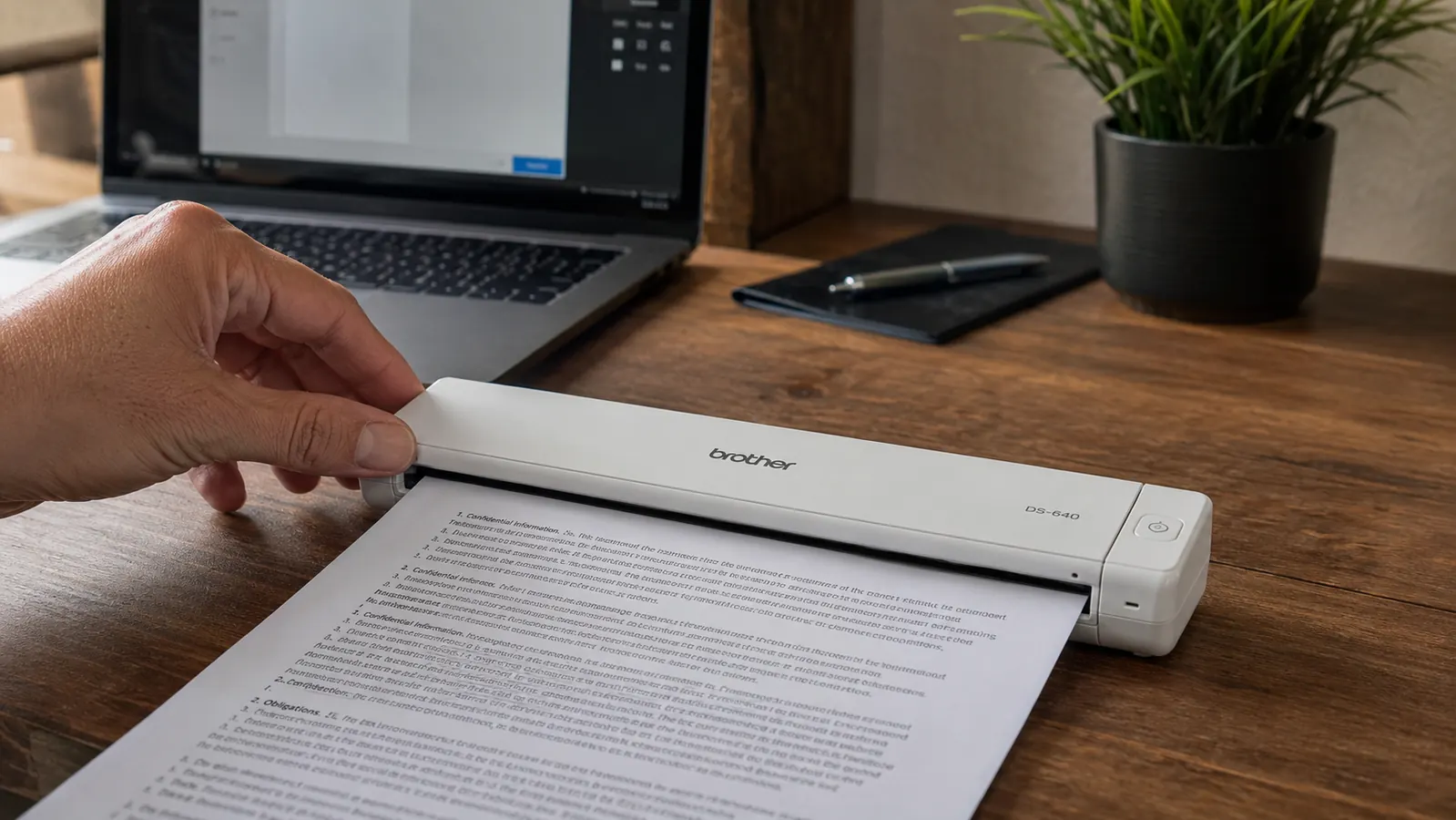
How I've Used It
The Brother DS-640 lives on the left side of my desk, plugged into a USB-A port on the same dock my laptop connects to when I sit down each morning. It's small enough that it doesn't feel like a piece of office equipment taking up space, more like a stapler that happens to do something more useful. No separate power cable, no bulky flatbed lid, just the scanner body and a short USB cord. That detail mattered more than I expected, because the old excuse I used with the garage printer, that scanning something meant leaving my desk, evaporated entirely.
My actual workflow is boring, which is the point. Client contracts and statements of work get signed on paper more often than you'd think, even in 2026, because some vendors still print and mail. When one lands in my tray, I feed it through the Brother DS-640, name the file by client and date, and drop it into the project folder I already keep in cloud storage. Invoices for my quarterly expense reports go through the same process, usually in a batch of six or eight at a time on the last Friday of the month. I've also scanned two years of insurance paperwork I'd been meaning to digitize since we moved, plus every form my daughter's school has sent home this year, because paper school forms are apparently still a thing everyone deals with.
The single biggest change in my day to day is that the paper tray on my desk is no longer a source of low-grade guilt. It gets emptied within a day or two of anything landing in it, because scanning something with the Brother DS-640 takes less time than finding a stamp used to. That's not a dramatic transformation, but six months of small five-minute sessions instead of one dreaded garage trip a month has genuinely changed how I deal with paperwork.
Setup and What's Actually in the Box
The Brother DS-640 ships with the scanner itself, a USB-A cable, a quick-start sheet, and a carrying case that I'll admit I've never once used, since it lives on my desk permanently rather than traveling with me. Setup was faster than I expected from a piece of scanning hardware, which historically has meant driver installs and a CD nobody has a drive for anymore. I downloaded Brother's iPrint&Scan software, plugged the scanner in, and it was recognized within about two minutes. No account creation, no subscription prompt, which I was genuinely bracing for given how many hardware companies try to upsell software these days.
The DS-640 is a single-sheet feed scanner, not a flatbed and not an automatic document feeder that stacks multiple pages at once. You feed one page in, it pulls it through, and it's done in about three seconds for a standard letter-size sheet at normal resolution. That single-sheet design is the biggest thing to understand about this scanner before buying it, and I'll get into what that means for multi-page documents further down, because it's the one tradeoff that actually shaped how I use it.
Scan Speed and Paper Handling, Six Months In
Brother rates the DS-640 at about 16 pages per minute in black and white and roughly 12 pages per minute in color, and in six months of actual use those numbers have held up close to accurate for single sheets fed one after another. A ten-page contract takes me under a minute of active feeding, which is faster than I can flip through the same stack by hand looking for a signature page. The scan quality at 600 dpi has been sharp enough that signatures, small print on invoice line items, and even a slightly smudged handwritten note on a lease addendum have all come through legible.
Where the Brother DS-640 has occasionally frustrated me is with paper that isn't in great shape. A crumpled receipt or a page that's been folded in thirds for mailing sometimes needs a second pass because it feeds in at a slight angle, which the software flags but doesn't always fully correct. I've had maybe a dozen misfeeds total across those 1,400-plus pages, almost always on paper that had been folded or was thinner than standard printer stock, like some receipts. It's never damaged a page, just occasionally required me to smooth it out and try again.
The one workflow adjustment I've made is batching multi-page documents. Because the DS-640 is single-sheet feed rather than a stacked automatic feeder, a 20-page contract means feeding 20 individual sheets rather than loading a stack and walking away. For most of what crosses my desk, that's fine, since client paperwork tends to run two to six pages. But when I scanned two years of tax documents in one sitting, that single-sheet limitation turned a task I expected to take twenty minutes into closer to an hour of steady feeding. It works, and the resulting files are clean, but it's hands-on the entire time in a way a full automatic document feeder wouldn't be.
The Software Side: iPrint&Scan and File Organization
Brother's iPrint&Scan software is functional rather than impressive. It lets me choose file format, either searchable PDF or JPEG, set resolution, and pick a save location before each scan or batch of scans. The searchable PDF option runs OCR in the background, and I've tested this by dropping a scanned contract into a folder and then searching for a client's name inside the PDF itself, which worked correctly on the first try and has kept working reliably since. That single feature has probably saved me more time than the scanning speed itself, because I no longer have to remember which folder a specific invoice lives in, I just search for it.
The software isn't going to win any design awards. It looks like it hasn't been touched visually in a few years, and the naming conventions for auto-generated files are clunky enough that I set up a custom naming template early on rather than deal with the default. Once that was configured, though, I haven't had to think about it. The Brother DS-640 also works with a mobile app for scanning directly to a phone, which I tried twice and abandoned, since scanning at my desk with the physical unit has always been faster and more reliable than the phone camera-based workflow.

Why I Didn't Just Use My Phone Camera or a Flatbed
Before buying the Brother DS-640, I tried the free option for about two months: using my phone's camera and a scanning app to photograph documents. It worked in a pinch, but the results were inconsistent. Lighting mattered more than I wanted it to, edges got cropped wrong more often than not, and text on smaller print, like the fine print on an insurance form, sometimes came out blurry enough that I'd have to retake the shot three or four times. It also meant picking up my phone every time, which turned a task I was already avoiding into one more step of friction.
I also considered a flatbed scanner, since I'd used one at a previous office job, but the footprint was the dealbreaker. My desk doesn't have room for a lid that opens upward and a glass bed that takes up as much space as a keyboard. The Brother DS-640's whole appeal is that it's roughly the size and weight of a stapler and disappears when it's not in use. For someone dealing with occasional single-page and short multi-page documents rather than bound books or oversized paperwork, the tradeoff toward compact single-sheet feed instead of a flatbed's flexibility has been the right call for my desk.
What I Liked
- Genuinely fast for single sheets, roughly matching Brother's rated 16 ppm in six months of real use
- Compact footprint that fits a small desk without a dedicated printer station
- Searchable PDF output with reliable OCR has made finding old documents effortless
- No subscription, no account required, works straight through USB
- Clean output at 600 dpi, sharp enough for signatures and small invoice print
Where It Falls Short
- Single-sheet feed only, no automatic document feeder for stacking multi-page jobs
- Occasional misfeeds on folded or crumpled paper, roughly a dozen times across 1,400+ pages
- iPrint&Scan software looks and feels dated compared to newer apps
- Mobile scanning via phone app is slower and less reliable than using the physical unit
Six months of small five-minute sessions instead of one dreaded garage trip a month has genuinely changed how I deal with paperwork.
Who This Is For
If you're a remote worker who still gets paper contracts, invoices, or forms crossing your desk, the way I do running IT projects for clients who occasionally still mail things, the Brother DS-640 is a straightforward fix for the tray that keeps filling up. It's a good match if most of what you scan runs one to ten pages at a time, if you want searchable PDFs without paying for a subscription scanning service, and if desk space is at a premium. It's also a solid pick for anyone digitizing an existing backlog of documents in shorter sessions rather than one long sitting, which is exactly how I cleared six months of accumulated paperwork over about three weeks of five-minute scans here and there.
Who Should Skip It
If you regularly scan long, stapled, or bound documents in bulk, the single-sheet feed on the Brother DS-640 will slow you down more than you'll want to tolerate, and an automatic document feeder model is worth the extra size and cost. Same goes for anyone who needs to scan books, magazines, or anything that isn't a loose sheet, since the DS-640 is built strictly for flat, single pages fed one at a time. And if your paperwork volume is genuinely light, a handful of pages a year, your phone's camera and a free scanning app will probably cover it without the added hardware.
Ready to Finally Empty That Paper Tray?
Six months, over 1,400 pages, and a desk that no longer has a guilt pile on it. The Brother DS-640 is the fix I wish I'd bought the first month I started working remote. See today's price on Amazon before it changes.
Amazon Check Today's Price on Amazon →