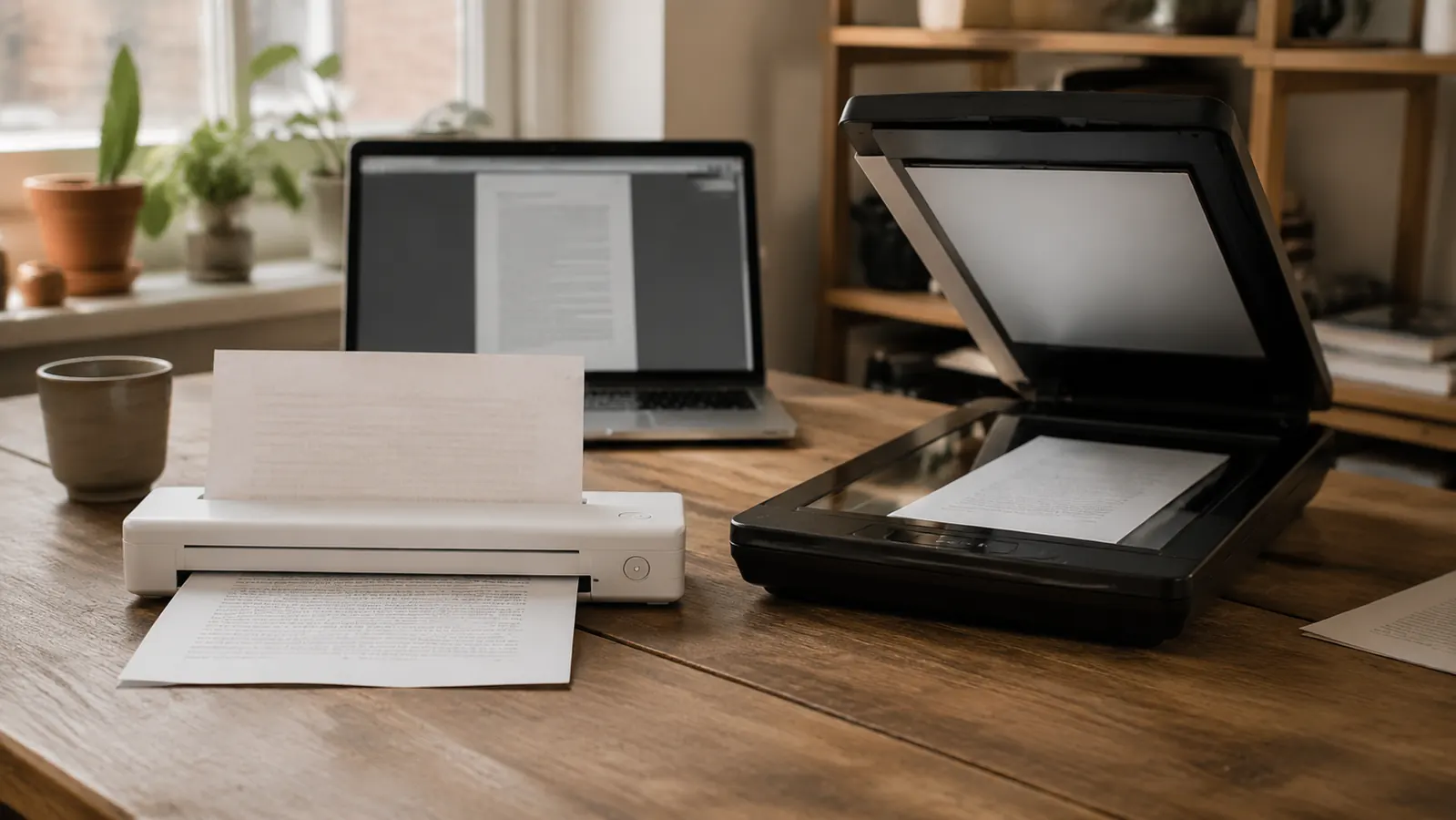
Short answer up front: if your home office desk is small, the Brother DS-640 wins this comparison, and it isn't close. I've had one running on my desk for six months, and I also spent three weeks earlier this year borrowing a standard flatbed scanner from a coworker to see if I was missing something by going compact. I wasn't. For single sheets, contracts, invoices, and the kind of paperwork that actually crosses a remote worker's desk, the Brother DS-640 is faster to use and takes up a fraction of the room. A flatbed scanner still has a real job to do, just not the one most home offices need done every day.
I'm Nate Colburn, a remote IT project manager working out of a converted spare bedroom for the past eight years. My desk is roughly four feet wide, shared with a laptop, a monitor, a coffee mug that's rarely empty, and whatever paperwork happens to be sitting in my inbox tray that week. Desk space isn't a hypothetical concern for me, it's the actual constraint that decided this comparison before I even ran the tests. Here's what I found putting the Brother DS-640 head to head with a generic flatbed scanner on speed, footprint, and the real documents I scan in a given month, from client contracts to a stack of old tax paperwork I finally got around to digitizing.
| Spec | Brother DS-640 | Flatbed Scanner |
|---|---|---|
| Current Price | Check today's price on Amazon | Wide range depending on brand |
| Desk Footprint | About the size of a stapler, roughly 11 x 2 inches | Full letter-size glass bed plus a hinged lid, often 17 x 12 inches or more |
| Weight | Under 1 pound | Typically 5 to 8 pounds |
| Scan Speed (single sheet) | About 16 ppm black and white | Roughly 8 to 15 seconds per page, lid open and closed each time |
| Power Source | USB bus-powered, no separate cord | Dedicated AC power adapter required |
| Document Types | Loose single sheets, receipts, business cards, IDs | Loose sheets, bound pages, books, photos, oversized items |
| Portability | Fits in a laptop bag, travels easily | Stays put, not built to move around |
| Setup | Plug in USB, recognized in under 2 minutes | USB or network setup, sometimes a driver install |
| Best For | Daily single-sheet paperwork on a small desk | Bound documents, photos, and occasional bulk scanning |
Where the Brother DS-640 Wins
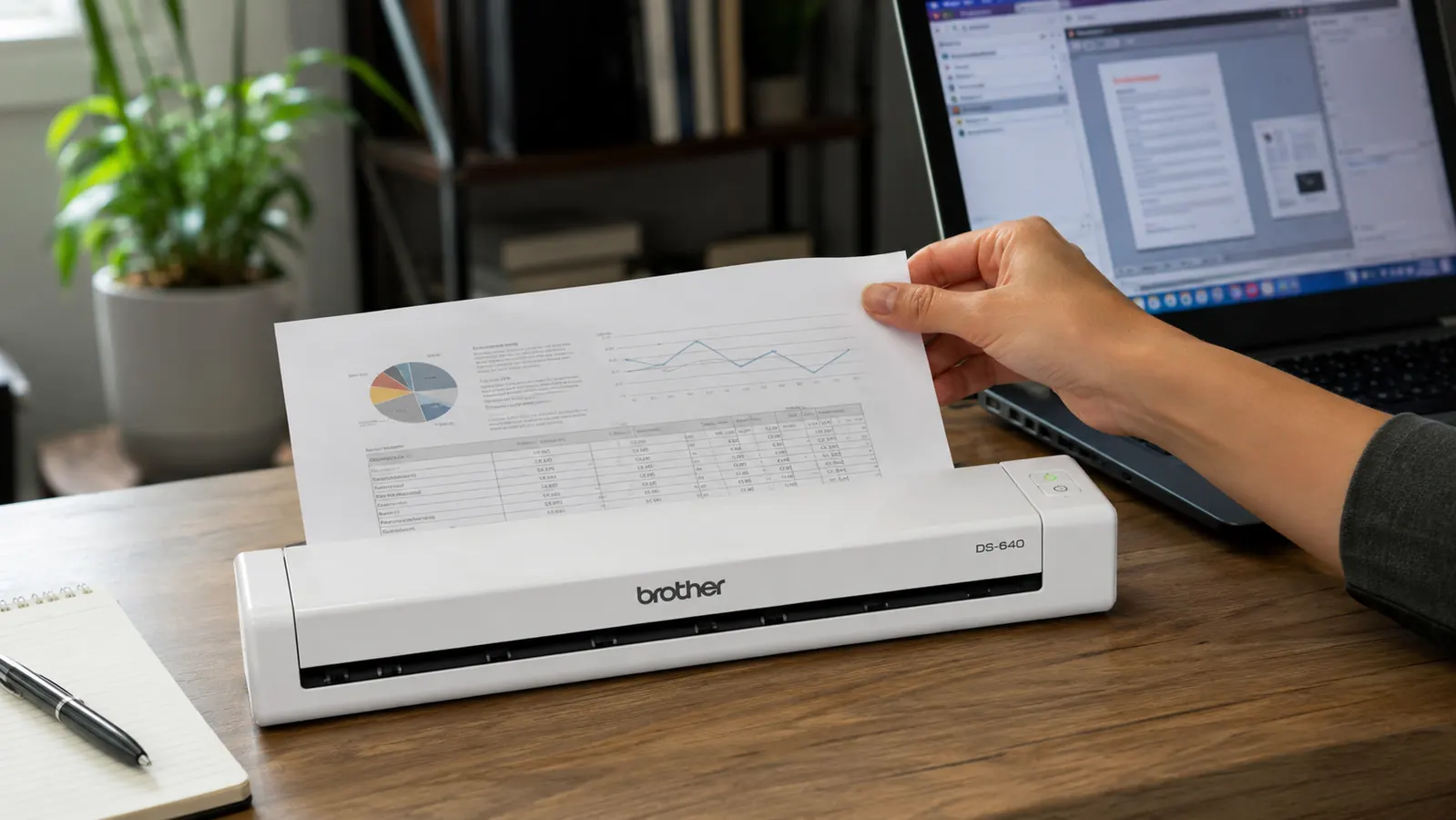
The Brother DS-640 wins on the two things that matter most for a remote worker's desk: space and speed for the paperwork you actually deal with day to day. It sits on my desk without feeling like a piece of office equipment at all, more like a stapler that happens to scan. There's no lid to prop open, no glass bed to keep clean, no dedicated power brick eating an outlet. It's USB powered, so setup is one cable, and it disappears into the corner of my desk when I'm not using it. That matters more than it sounds like it should, because the flatbed I borrowed never disappeared. It sat there, taking up a third of my available surface, whether I was scanning something or not.
Speed is the other clear win. Feeding a single contract page through the Brother DS-640 takes about three seconds, and a ten-page document takes under a minute of steady feeding. The flatbed I tested needed the lid lifted, the page positioned square against the corner guide, the lid closed, and then the software triggered before each individual page, which added up to 10 to 15 seconds per page even before accounting for the walk to wherever the flatbed was sitting. For the volume of loose single-sheet paperwork that lands on my desk (contracts, invoices, insurance forms) the DS-640 simply moves faster because it was built for exactly that job and nothing else. Multiply that gap across a full month of scanning and it's the difference between five-minute sessions I barely notice and a chore I'd start putting off.
Where a Flatbed Scanner Wins
Credit where it's due. A flatbed scanner does things the Brother DS-640 flatly cannot. If you need to scan a bound document, like a stapled packet, a spiral notebook, or an old hardcover manual, a flatbed's open glass bed handles it without damaging the binding. The DS-640 is a single-sheet feed scanner, which means it needs a loose page it can pull through a slot. Try to feed it a stapled packet and you'll either jam the mechanism or have to pull the staple first, which isn't always an option on something you need to return intact.
A flatbed also wins on photo and oversized document scanning. If you're digitizing old family photographs, artwork, or anything larger than a standard letter sheet, the glass bed captures the full image in one pass without feeding it through rollers that can scuff a photo's surface. I scanned a handful of old photos on the borrowed flatbed during my test and the results were noticeably cleaner than anything I could have gotten by feeding a photo through the DS-640's slot, which honestly isn't designed for that job in the first place. If your scanning needs regularly include books, bound records, or photos, a flatbed earns its desk space.
Portability: One Travels, One Doesn't
This is the part of the comparison that doesn't show up until you actually need to work somewhere other than your desk. The Brother DS-640 weighs under a pound and fits in the side pocket of my laptop bag, next to a charger and a notebook, without me noticing it's in there. I've taken it to a coworking space twice when I had a client contract that needed signing and scanning on the same day, and both times it was as easy as unzipping the bag and plugging it into whatever laptop I had open. A flatbed scanner isn't built for that at all. Between the weight, the hinged lid, and the separate power brick, it's a piece of equipment that stays exactly where you set it up, which is fine if your scanning always happens at the same desk, but it's a real limitation if your work ever moves with you, even occasionally.
Most home office paperwork is loose sheets. Here's the scanner built for exactly that.
If what's piling up on your desk is contracts, invoices, and single-page forms, the Brother DS-640 clears it faster than a flatbed ever could, without eating a third of your desk to do it.
Amazon Check Today's Price on Amazon →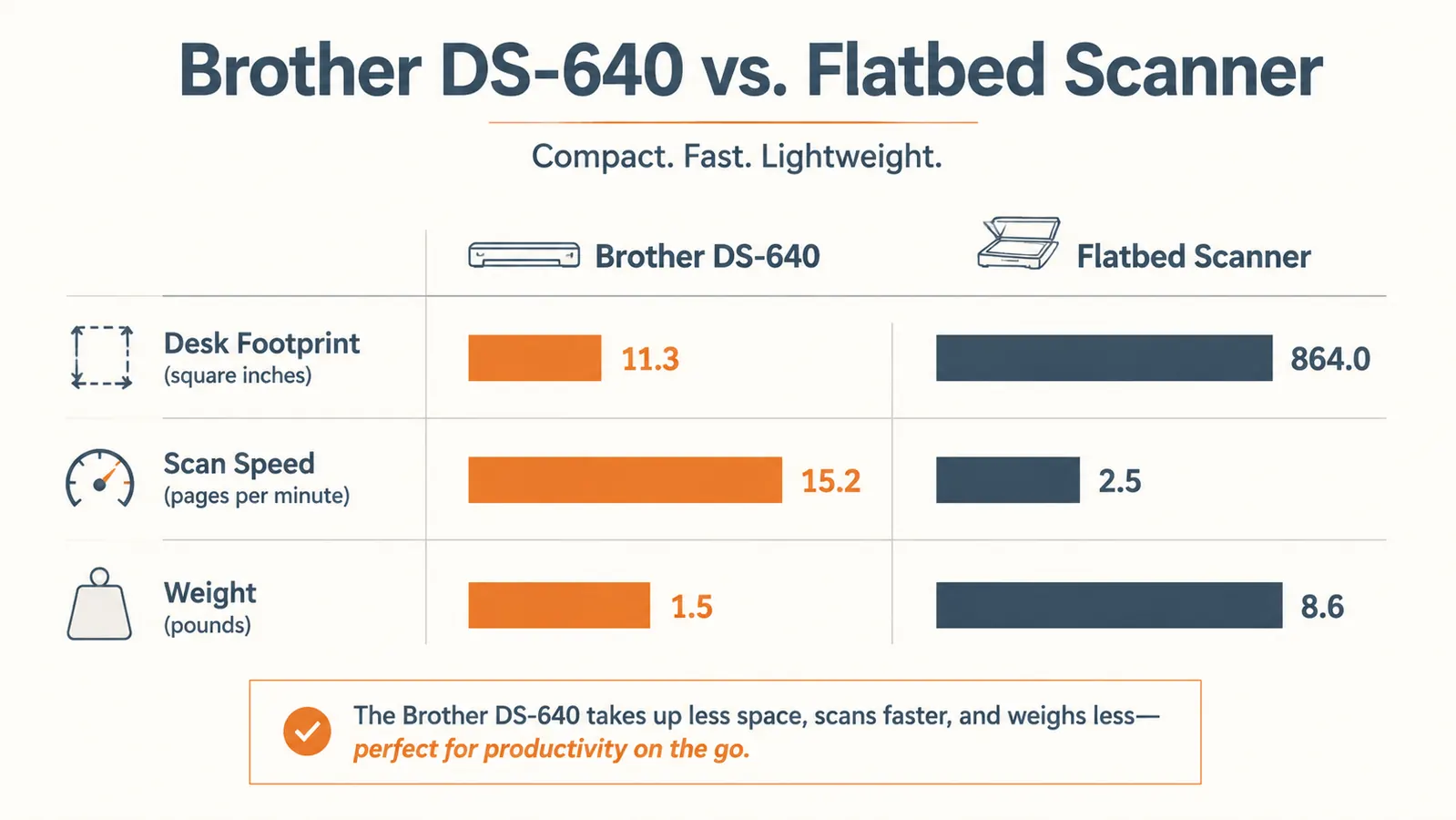
Desk Space Is the Whole Argument
I want to be direct about this, because it's the single biggest factor in how this comparison plays out for most remote workers. A flatbed scanner needs permanent real estate on a desk or a nearby shelf. It's not something you tuck away between uses, because the lid and glass bed make it awkward to store anywhere that isn't flat and accessible. On my four-foot desk, giving up a third of the surface to a scanner I use maybe twice a week wasn't a trade I was willing to make, especially with a laptop, monitor, and the usual desk clutter already competing for the same space. The Brother DS-640, at roughly the footprint of a stapler and under a pound, solved that problem by not being a space problem in the first place. It sits flush against the back edge of my desk and I genuinely forget it's there until I need it.
This isn't a small consideration if you're working out of a spare bedroom, a converted closet, or a shared kitchen table setup, which describes a lot of remote home offices, mine included. A flatbed that would be a non-issue in a dedicated home office with a full desk becomes a genuine daily annoyance on a smaller surface, something you're constantly working around instead of with. I tried shifting the borrowed flatbed to a side shelf during my test to free up desk space, and that just meant an extra trip across the room every time something needed scanning, which defeated the point of having it close by at all.
Speed and Workflow, Side by Side
Beyond raw scan time, the workflow difference compounds over weeks of actual use. With the Brother DS-640, my routine is: pull a page from the tray, feed it through, name the file, done, all in well under a minute. With the flatbed, every single page meant lifting a lid, aligning the sheet against a corner guide by eye, closing the lid, and triggering the scan through software, then repeating that entire sequence for the next page. For a stack of eight invoices, that difference was the gap between roughly two minutes with the DS-640 and closer to ten minutes with the flatbed, lid up and down eight separate times. Over a month of routine paperwork, that adds up to real minutes I'd rather spend somewhere else.
The flatbed I tested never disappeared. It sat there taking up a third of my desk whether I was scanning something or not.

Software and File Handling
Both scanner types depend heavily on their software, and this is one area where the comparison gets closer to a wash. The Brother DS-640 runs on Brother's iPrint&Scan software, which lets me output searchable PDFs with OCR built in, so I can search a client's name and find the right scanned contract without remembering which folder it landed in. The flatbed I tested ran comparable scanning software from its own manufacturer, with similar searchable PDF output, though the overall experience felt a step slower simply because triggering each scan required more manual steps between pages. Neither software experience is going to impress anyone visually, both look like they were designed a few years back and left alone, but both get the job of producing a usable, searchable file done reliably.
Maintenance and Reliability Over Time
Six months in, the Brother DS-640 hasn't needed anything from me beyond an occasional wipe of the feed rollers with a dry cloth when I noticed a page feeding in slightly crooked. That's a two-minute fix, and it's happened maybe three times total. The flatbed I tested needed the glass bed wiped down more often than I expected, since fingerprints and dust show up immediately on a scanned image when the light passes straight through the glass, and any smudge shows up as a faint streak across every page scanned until it's cleaned. Neither scanner has been a maintenance headache exactly, but the DS-640's simpler mechanism, no glass, no hinge, just rollers and a slot, has meant fewer small annoyances over months of regular use.
Who Should Buy Which
If your paperwork is mostly loose single sheets, contracts, invoices, forms, receipts, and your desk doesn't have room to spare, the Brother DS-640 is the right call. It's what I've kept plugged in for six months because it matches the actual shape of my paperwork and the actual size of my desk. If instead you regularly need to scan bound documents, old photographs, or anything larger than a standard sheet, a flatbed scanner is worth the extra desk space it demands, since it's simply built to do a job the DS-640 physically can't. Some home offices genuinely need both, and if yours does, that's a reasonable setup too. But if you're only picking one and most of what crosses your desk is loose paper, the compact option wins on the two things a small desk cares about most: speed and space.
Ready to stop giving up desk space to a scanner you barely use?
The Brother DS-640 handled six months of my actual home office paperwork faster than the flatbed I tested it against, on a fraction of the desk. See today's price on Amazon.
Amazon Check Today's Price on Amazon →