
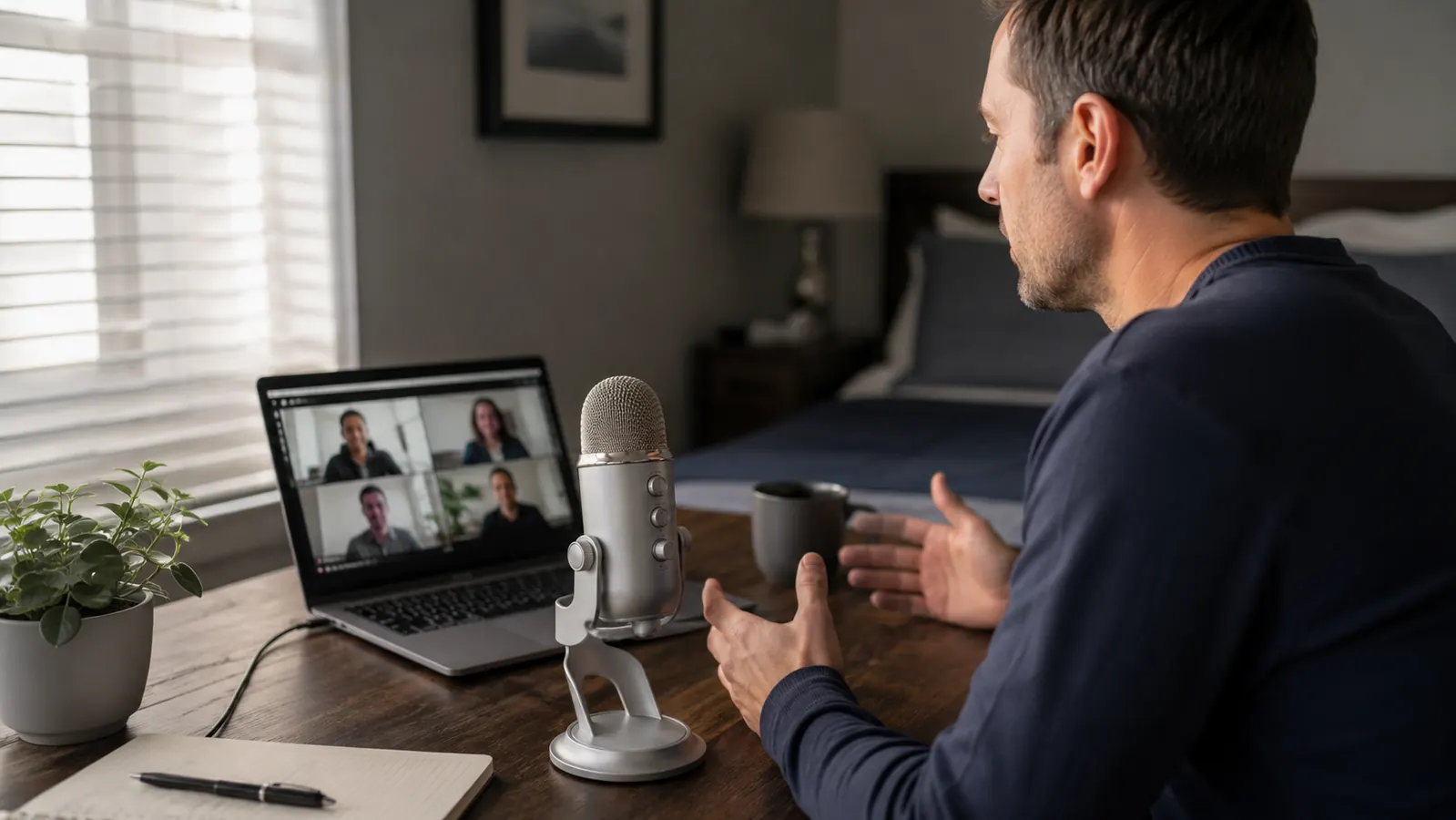
My name is Nate Colburn, and I've worked remote IT project management for going on eight years now, out of a spare bedroom in my house that I've slowly turned into an actual office. Somewhere around year five, a client project lead pulled me aside right after a status call and told me, politely but directly, that I sounded like I was calling in from inside a filing cabinet. That comment stung more than it should have, because I take those calls seriously. Within the hour I'd ordered the FIFINE K669S, a metal-bodied USB condenser microphone that had been sitting in my Amazon cart for close to two months because I couldn't quite justify spending money on 'a microphone' when my laptop already had one built in.
That was eight months and roughly four hundred video calls ago. I've run daily stand-ups on it, sat through two-hour architecture review calls, recorded internal training videos for new hires, and taken more than one call where a client's own audio was garbled and mine was the only clear voice on the line. This review is what I actually learned using the FIFINE K669S as a working tool, not a studio accessory, day after day, on a real remote IT job.
When the box showed up, my first thought was that it felt like more microphone than a person needs for video calls. It came with the mic itself, the small desktop tripod stand, a foam windscreen already fitted over the capsule, and a USB-A cable long enough to reach from my desk to the dock behind my monitor without stretching. Setup took less than five minutes, most of which was spent finding a good spot on a desk that was already crowded with two monitors and a mess of cables I still haven't fully tamed.
Quick Verdict
The Quick Verdict
A genuinely clear-sounding USB condenser mic for well under the cost of most dedicated audio gear, with a real learning curve around gain and placement, and a couple of build quirks I've made peace with over eight months of daily use.
Amazon Check Today's Price →Tired of Being Asked to Repeat Yourself on Every Call?
If your laptop mic is the reason your meetings run long, the FIFINE K669S is the same fix that got a client stakeholder off my back after one call. Check current availability and see today's price on Amazon.
Amazon Check Today's Price on Amazon →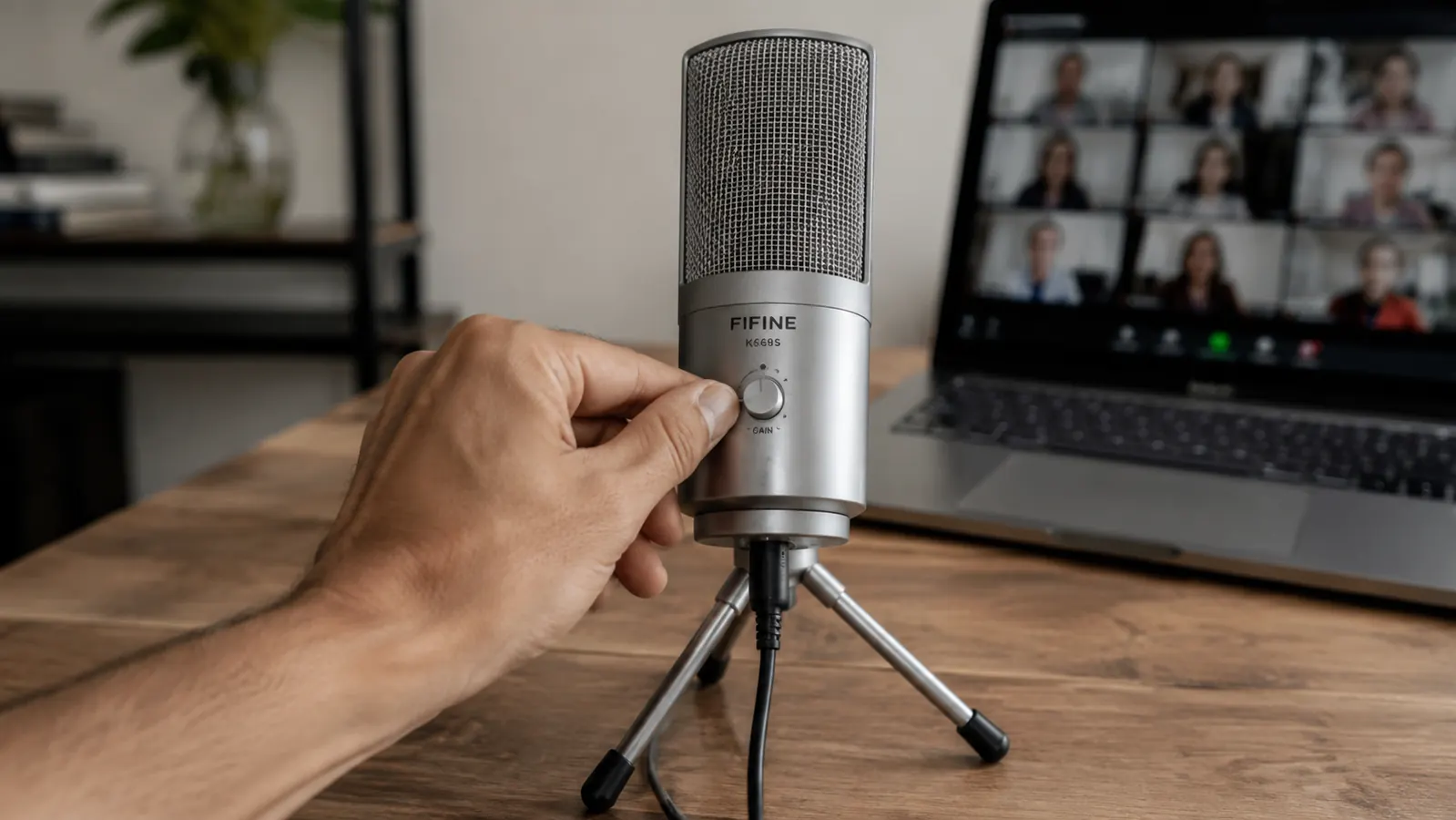
How I've Used It
My setup is nothing fancy. The FIFINE K669S sits on the small desktop tripod stand it ships with, angled slightly toward my mouth, about eight inches from where I sit. It plugs into a USB-A port on the dock I use for my work laptop, and once Windows recognized it the first time, I've never had to touch the driver setup again. No software to install, no app to open before a call. I open Teams or Zoom, pick the K669S from the audio dropdown, and I'm working.
I run four to five video calls most weekdays. A morning stand-up with my own team, usually fifteen minutes. A midday check-in with whichever client I'm assigned to that quarter, which for the past several months has been a mid-size logistics company migrating off an old ticketing system. And then whatever afternoon calls come up, sometimes a vendor demo, sometimes a one-on-one with someone on my team who's stuck on something. The FIFINE K669S has been on for every one of those, and it's the one piece of my desk setup I genuinely stopped thinking about, which for a project manager who juggles a lot of moving pieces, is exactly what I want out of a tool. I've also carried it along on two work trips, tucked in a laptop bag, and it survived both without a scratch on the metal housing.
I also use it for the short internal training clips I occasionally record when we roll out a new internal process. Those get shared company-wide, so the bar for clarity is a little higher than a live call where people forgive some hiss. The FIFINE K669S has held up fine there too, though I'll get into a couple of caveats on that below.
The Build and the Gain Knob
The FIFINE K669S is a metal-bodied cardioid condenser mic, and it genuinely feels like it, not a plastic shell painted to look like metal. It's heavier than I expected out of the box, close to fifteen ounces, which actually works in its favor because the included tripod stand doesn't wobble or tip when I bump the desk, and I bump the desk a lot with a keyboard and two monitors crammed into a small room.
The front of the mic has a gain control dial, a headphone volume knob, and a 3.5mm headphone jack for direct monitoring, which I didn't expect at this level. There's also a mute button on the front face that's genuinely useful, I hit it constantly when my dog starts barking at the mail truck mid-call. The gain knob took me longer to dial in than I'd like to admit. Set it too high and the FIFINE K669S picks up my mechanical keyboard like it's sitting inside it. Too low and I sound distant, back to the original problem I bought the thing to solve. It took about a week of small adjustments before I landed on a gain level that stays put through most of my calls.
The cardioid pickup pattern means it's built to favor sound coming from directly in front of it and reject noise from the sides and rear, which in practice means it's forgiving about my open office door and less forgiving about exactly where I position my mouth relative to it. Move too far off-axis and the FIFINE K669S audio thins out noticeably. I've found the sweet spot is roughly level with my chin, angled up slightly, which took some trial and error the first couple of weeks.
Eight Months of Daily Stand-ups
The real test of any piece of home office gear isn't the first week, it's whether it's still doing its job without complaint six or seven months in. The FIFINE K669S has been remarkably consistent. No static, no crackling, no random dropouts mid-call, which I genuinely worried about given the price point when I first ordered it. I've used it through an Ohio winter with the space heater running under my desk and through a summer stretch with a window fan on, and it hasn't picked up either one in a way anyone on a call has mentioned.
The one place I've noticed wear is the USB cable connection at the base of the mic itself. It's not loose exactly, but if I yank the cable at a bad angle while reorganizing my desk, the FIFINE K669S will occasionally drop out for a second and reconnect. It's happened maybe four or five times total in eight months, always during setup fumbling, never mid-call. I've since learned to leave the cable alone once it's plugged in and route my other cords around it instead.
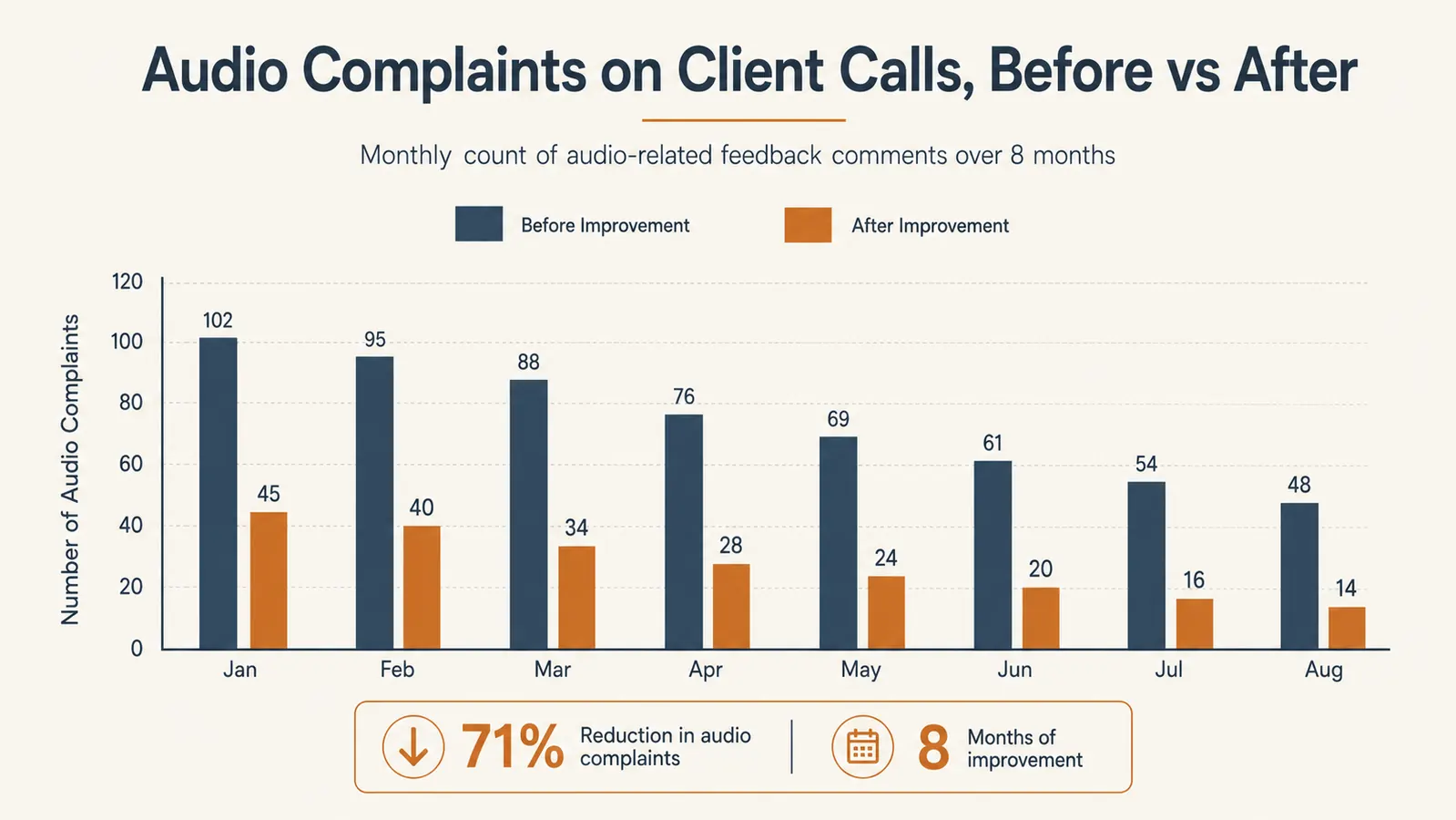
The tracked feedback tells the story better than I can. In the six months before I switched, I had three separate instances of someone on a client call asking me to repeat myself or mentioning my audio sounded rough. In the eight months since installing the FIFINE K669S, that number has been zero. That's not a scientific study, it's one guy's calendar, but it's the metric that actually matters to my job. Two people on my own team noticed the difference within the first week and asked what I'd changed, which is how the FIFINE K669S ended up on two more desks in our department by the end of that month.
The Tradeoffs I've Made Peace With
I want to be straight about the parts of the FIFINE K669S that aren't perfect, because every review I read before buying made it sound flawless, and it isn't. First, the included stand is a fixed tripod, not a boom arm. It sits on the desk surface, which means it takes up real estate right in my typing zone. I ended up shifting my keyboard back a couple of inches to make room, and if your desk is already tight on space, that's worth planning for.
Second, it's USB-A only. My current laptop dock has A ports so it hasn't been an issue for me, but if your setup is newer and USB-C exclusive, you'll need an adapter, and I'd rather flag that now than have you find out after unboxing it.
Third, and this is the gain knob issue again because it matters, the FIFINE K669S is sensitive enough that it will pick up keyboard clatter, a ringing phone in another room, or my HVAC kicking on if the gain is set too hot. Once I found the right level this stopped being a problem, but that tuning period is real and I don't want to pretend it's plug-and-perfect out of the box.
Last, I had one Windows update roughly three months in that reset my default audio device back to my laptop's built-in mic without asking. Took me a minute into a call to notice and switch back. Not the FIFINE K669S's fault directly, but it's a habit I've had to build, checking my audio source before I join anything important.

Why I Didn't Just Buy a Blue Yeti
Before I landed on the FIFINE K669S, I did look seriously at a Blue Yeti Nano, since half the podcast and streaming forums I read treat it as the default answer. Two things pushed me toward FIFINE instead. First, the Yeti Nano takes up noticeably more desk footprint, and my spare-bedroom office doesn't have much to spare. Second, I wasn't trying to record a podcast, I was trying to sound clear on Teams and Zoom, and the K669S's straightforward gain knob and headphone jack covered that need without any companion software or gain-staging app to fuss with.
I'm not going to claim the FIFINE K669S beats a Blue Yeti Nano on raw studio-quality output, because in a quiet room with careful gain staging, the Yeti likely edges it out. But for a guy joining video calls from a home office with a dog, an HVAC vent, and a keyboard that never stops clicking, the simplicity of the K669S has mattered more day to day than a marginal upgrade in fidelity I'd probably never notice on a compressed Zoom feed anyway.
What I Liked
- Noticeably clearer and fuller than any laptop's built-in mic, confirmed by zero audio complaints on client calls in eight months
- Solid metal build that doesn't wobble on the desk, even with regular bumps
- Front-facing mute button and headphone monitoring jack are genuinely useful day to day
- No drivers or companion software required on Windows or Mac
- Gain knob and cardioid pattern do a good job rejecting room noise once dialed in correctly
Where It Falls Short
- Fixed desktop tripod eats into typing space, no boom arm included
- USB-A only, no USB-C cable in the box
- Gain sensitivity means keyboard clatter or HVAC noise can bleed in if set too high
- Occasional cable-connection hiccup if the cord gets yanked at a bad angle
In the six months before I switched, three different people asked me to repeat myself on a call. In the eight months since, that number has been zero.
Who This Is For
If you're on video calls most weekdays, the way I am running IT projects for clients I've never met in person, the FIFINE K669S is a straightforward upgrade over whatever mic is baked into your laptop. It's a good fit if you want better audio without learning gain-staging software, without buying a boom arm and pop filter separately, and without spending more than a fraction of what a proper studio setup would cost. It's also a solid pick for anyone recording short internal training videos or webinars where clarity matters but you're not trying to sound like a podcast studio. If you're the person on your team who's been quietly asked to check your audio more than once, this is the fix I'd point you to first.
Who Should Skip It
If you're actually producing podcasts, YouTube content, or anything where audio is the product itself, I'd look at a mic with more headroom for post-production and a boom arm designed in from the start, the FIFINE K669S is built for calls and light recording, not studio work. And if your desk is genuinely tight on space, the fixed tripod stand is worth measuring for before you buy, because it does need its own footprint on the desk surface.
Ready to Stop Sounding Like You're Calling From a Filing Cabinet?
Eight months, hundreds of calls, and zero audio complaints since I switched. The FIFINE K669S is the fix I wish I'd bought two months sooner than I did. See today's price on Amazon before it changes.
Amazon Check Today's Price on Amazon →