
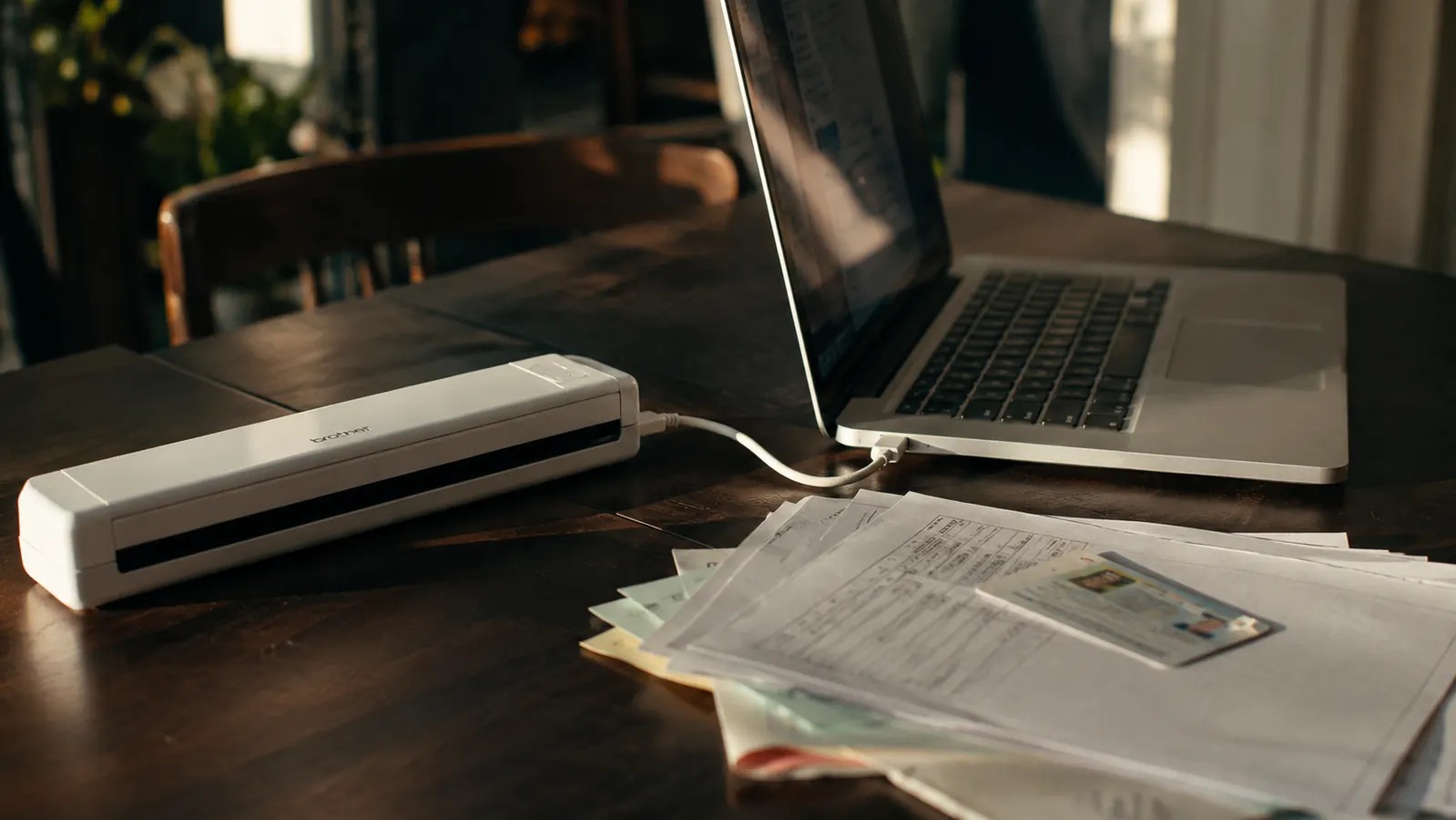
I nearly returned the Brother DS-640 during the first week I owned it, which isn't the kind of thing you tend to read in a pile of five-star Amazon reviews. I'm Nate Colburn, a remote IT project manager who has worked out of a spare-bedroom office for eight years now, and I bought this compact scanner in early spring after getting fed up with a paper tray that never actually emptied. What follows isn't the highlight reel. It's the unfiltered version, the parts of owning the Brother DS-640 that the star ratings smooth over, the small letdowns that would have changed my buying decision if I'd known about them going in, and the reasons I ultimately kept it anyway.
Most reviews of the Brother DS-640 read like they were written the same afternoon the box was opened. Mine isn't. I've had this scanner on my desk for four months and pushed roughly 900 pages through it, everything from client contracts to a laminated insurance card that fought me the whole way. Some of what I found lines up with the marketing. Some of it doesn't. If you're weighing whether to buy this specific portable scanner, I'd rather tell you where it actually catches you off guard than repeat the spec sheet back to you.
The Quick Verdict
A genuinely fast single-sheet scanner once you understand its real limits, but the listing photos oversell how self-contained it is, and a few software rough edges cost me an afternoon I didn't budget for.
Amazon Check Today's Price →Thinking About Buying One? Read the Catches First.
The Brother DS-640 is a good scanner, but only if you go in knowing what the reviews leave out. Here's what I wish someone had told me, plus where to check today's price if it still makes sense for your desk.
Amazon Check Today's Price on Amazon →How I Tested It
I didn't test the Brother DS-640 with a stack of clean printer paper and call it a day, because that's not what actually crosses my desk. Over four months I ran it through client contracts and statements of work, a batch of quarterly invoices, a 42-page mortgage refinance packet I'd been putting off, a laminated auto insurance card, a handful of receipts that had been folded in a wallet, and a stack of my daughter's school forms that ranged from crisp to slightly crumpled. That mix mattered, because a scanner that handles fresh printer paper flawlessly can behave completely differently on the odd stuff that actually piles up in a home office.
I also paid attention to things a lot of reviews skip past. How it behaves unplugged from power sources other than the laptop. Whether the bundled software installed cleanly on a machine that had already been through two Windows updates since I first set it up. Whether the mobile app was something I'd actually reach for or just a checkbox feature. None of that shows up in a spec sheet, and none of it shows up in a review written the week the box arrived.
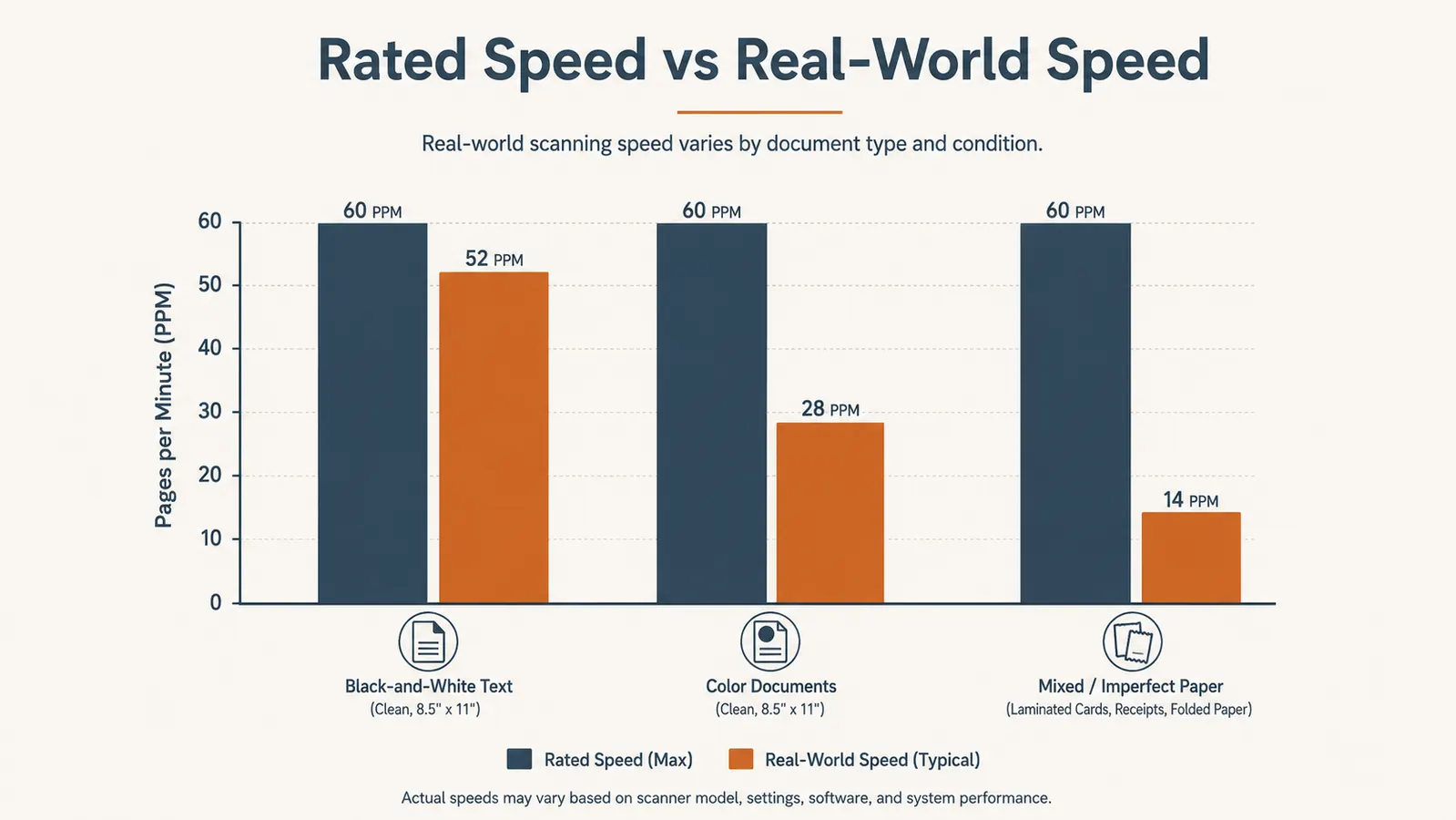
I also timed it against Brother's own rated speeds using a stopwatch app on my phone rather than trusting my gut, because "felt slow" isn't useful information for someone deciding whether to buy this. I ran three separate timed batches, one of clean printer paper, one of color pages, and one of the odd stuff like the laminated card and folded receipts, and logged the results instead of relying on a single impression from one good or bad afternoon.
The short version of where I landed: the Brother DS-640 earned its spot on my desk, but getting there took working through a handful of gotchas I want to walk through in detail, because I think they matter more to a buying decision than another rundown of the rated scan speed.
The Thing the Listing Photos Don't Make Obvious
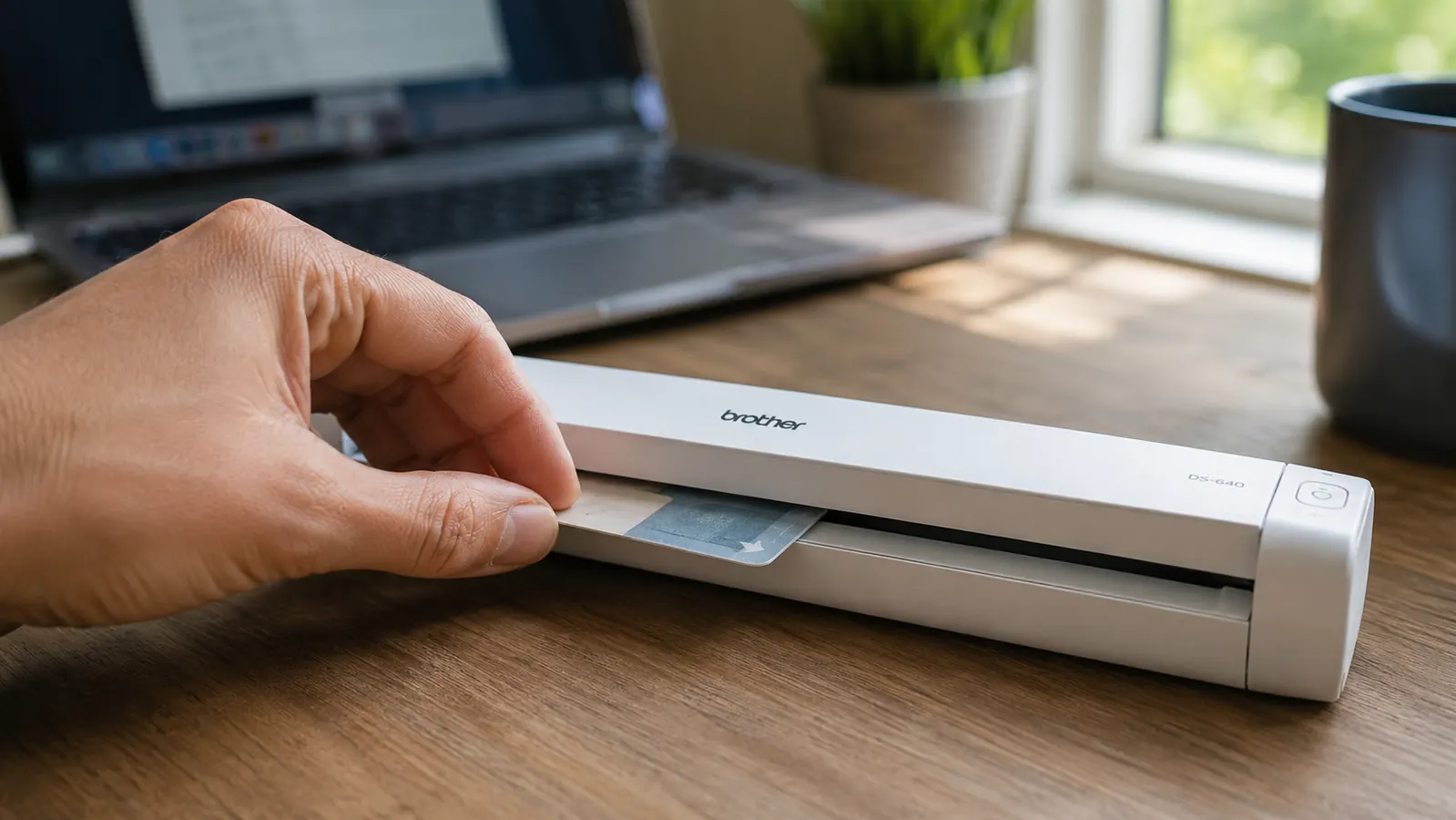
The word "mobile" is right there in the product name, and I'll admit it shaped my expectations more than it should have. I pictured something closer to a standalone unit I could carry to a coffee shop and scan directly to a memory card without a computer anywhere nearby. That's not what the Brother DS-640 is. It's USB bus-powered, meaning it draws its power entirely from the laptop or desktop it's plugged into, and it has no internal battery and no standalone SD card scanning mode. Without an active USB connection to a running computer, it does nothing at all.
I found this out the inconvenient way, trying to scan a signed lease addendum from my couch on a laptop that was down to about 4 percent battery, assuming I could just plug the scanner in and go. Instead I got an unresponsive light and a reminder that this is portable in the sense of being small and light enough to toss in a bag, not portable in the sense of working independent of a computer. If you're picturing something closer to a battery-powered field scanner, that's a different product line, and it's worth checking before you buy rather than after.
Where the Rated Speed Falls Apart in Real Use
Brother rates the DS-640 at roughly 16 pages per minute in black and white. On clean printer paper, that number holds up well enough that I stopped timing it after the first month, because it consistently felt as fast as advertised. Color scans are a different story. Brother's own spec puts color closer to 12 pages per minute, but in practice, scanning a full-color tri-fold brochure or a photo-heavy document at higher resolution slowed things down more than that number suggests, closer to what felt like 8 or 9 pages a minute once the software finished processing each image.
The laminated insurance card was where things really fell apart. It's stiffer and slicker than standard paper, and the DS-640's single-sheet roller mechanism, built with letter paper in mind, struggled to grip it consistently. It took four attempts and one moment of genuinely wondering if I'd jam the mechanism before it fed through cleanly. The 42-page mortgage refinance packet was a different kind of frustration, not a jam, just a grind. Because the DS-640 has no automatic document feeder for stacking multiple sheets, that packet meant standing at my desk feeding one page at a time for the better part of 25 minutes, which is a very different experience than the phrase "16 pages per minute" implies on its own.
None of this makes the rated speed false, exactly. It's accurate for what it's measuring, which is clean, standard letter paper fed one sheet after another with no interruptions. It just doesn't tell you what happens the first time something odd, thick, laminated, or folded crosses your desk, and in a real home office, something odd crosses your desk more often than the spec sheet implies.
The Software Quirks Nobody Mentions in the Star Ratings
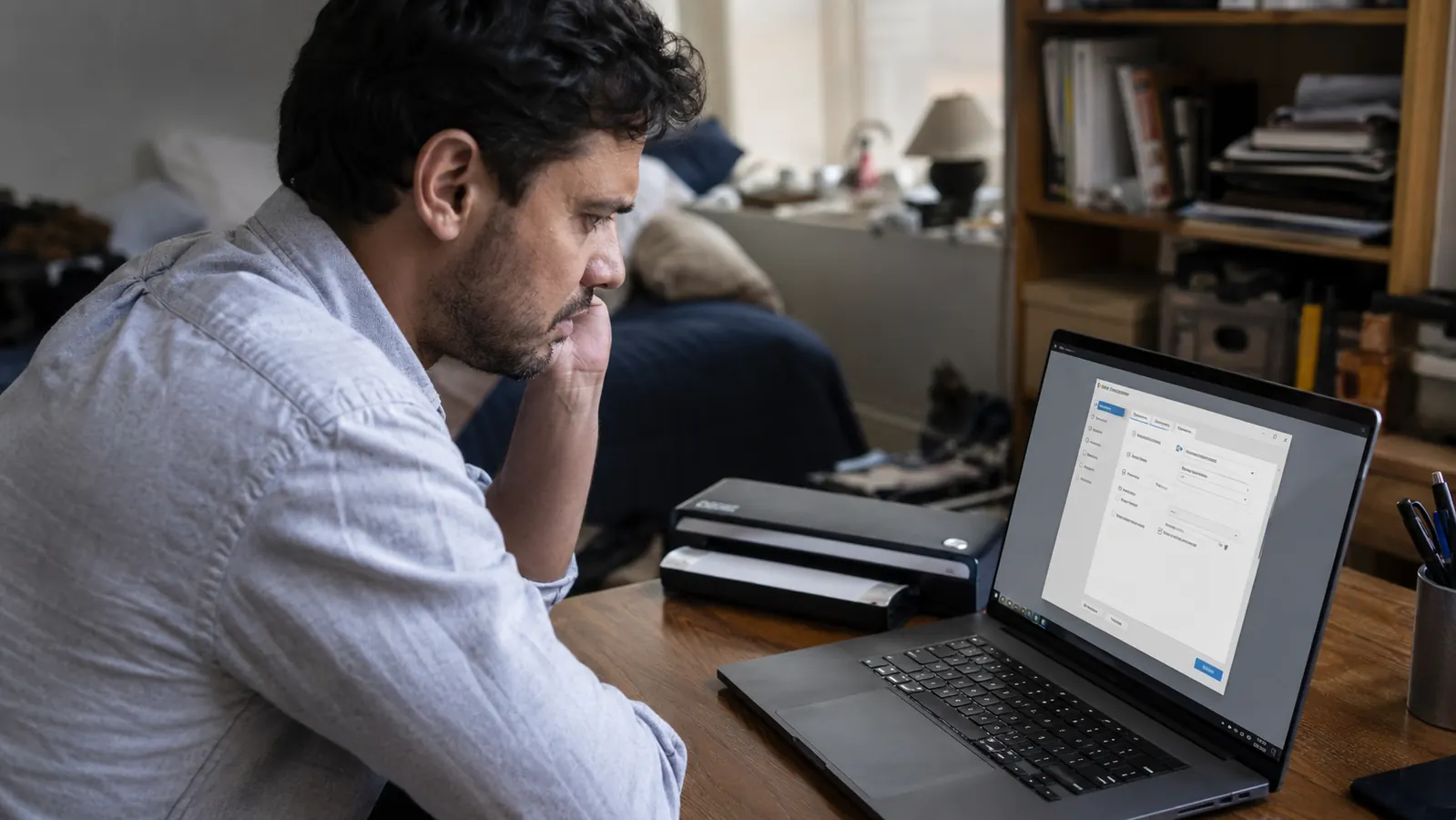
Brother's iPrint&Scan software installed cleanly the first time, on a laptop I'd just set up fresh. Where it got messier was three months in, after a routine Windows update. The scanner suddenly stopped being recognized, and I spent close to an hour troubleshooting before realizing the driver needed a manual reinstall rather than updating quietly on its own the way most peripherals do now. It's a fifteen-minute fix once you know what's wrong, but I didn't know what was wrong, and the error message the software gave me pointed nowhere useful.
The mobile app is the other spot I'd flag before buying based on the marketing. I tried using it from my phone twice, hoping to scan directly without walking to my desk, and both times it either failed to detect the scanner over the same USB connection or froze mid-scan and forced a restart of the app. I gave up on it entirely after the second crash and haven't opened it since. The desktop software is reliable. The phone companion, at least on my Android device, was not, and that's a gap between what the product page implies and what actually happened on my hardware.
One more small thing worth flagging: the searchable PDF feature, which runs OCR text recognition in the background, works genuinely well on typed documents but stumbles on handwriting. A handwritten note scrawled in the margin of a contract came through as a string of nonsense characters when I searched for it later, while the typed body text on the same page was perfectly searchable. That's not unusual for OCR software generally, but it's not something the product listing mentions, and it changed how much I trust the search feature for anything handwritten.
The Case, the Cord, and Other Small Letdowns
The included carrying case is thin nylon with essentially no padding, more of a dust sleeve than something you'd trust dropping in a backpack next to a water bottle. Given the scanner's own portable branding, I expected something a little more protective. I ended up not using the case at all, since the DS-640 lives permanently on my desk, but if travel scanning is actually part of your plan, budget for a better sleeve separately.
The USB cable is also shorter than I expected, close to a foot and a half, which forces the scanner to sit right next to whatever it's plugged into rather than a few feet away on a more convenient part of the desk. I ended up rearranging my desk layout slightly to accommodate it, which is a minor annoyance but one that surprised me since most peripherals I own ship with at least three feet of cable.
On the warranty front, the Brother DS-640 comes with a standard one-year limited warranty, and Brother's support process required registering the product through their site before I could open a support ticket for the driver issue I mentioned earlier. It's not a dealbreaker, but registering a scanner before I could get help troubleshooting it felt like an extra step that other companies have streamlined away, and it's worth doing that registration the day you unbox it rather than waiting until you actually need support.
Where It Actually Delivers, and Why I Kept It
None of the above means I regret buying the Brother DS-640. On clean paper, which is the overwhelming majority of what actually crosses my desk, it's fast, the output is sharp, and the searchable PDF feature has genuinely saved me time hunting for old client documents. I batch-scan invoices on the last Friday of the month and it handles that routine without complaint, usually in under ten minutes for a stack of eight or ten pages.
What changed my experience wasn't the core scanning function, it was going in with accurate expectations instead of the ones the product photos and glowing reviews set up. Once I understood it needed a live USB connection, that laminated or folded paper needed patience, and that the mobile app wasn't worth relying on, the DS-640 settled into being a genuinely useful tool rather than a source of small daily frustrations.
It's also worth saying that none of the gotchas I've listed here were expensive to work around. A backup laptop charger nearby handles the power issue, a firm hand and a second attempt handles the laminated card, and knowing to reinstall the driver after a Windows update handles the software hiccup in fifteen minutes flat. None of that erased the annoyance the first time I ran into it, but four months later, the Brother DS-640 is still the tool I reach for every time paperwork lands on my desk, catches and all.
What I Liked
- Legitimately fast on clean, standard paper, close to Brother's rated 16 ppm in black and white
- Searchable PDF output with OCR that works well on typed text and has saved real time finding old documents
- Small enough to live permanently on a desk without feeling like dedicated office equipment
- No subscription or account required, straightforward USB setup on a fresh install
- Sharp 600 dpi output on standard letter paper, including small print and most signatures
Where It Falls Short
- USB bus-powered only, no internal battery or standalone SD card scanning despite the "mobile" branding
- Struggles noticeably with laminated cards and stiff or folded paper, several attempts needed
- No automatic document feeder, so long multi-page packets mean feeding one sheet at a time by hand
- Driver needed a manual reinstall after a routine Windows update, with an unhelpful error message
- Mobile app crashed repeatedly on Android and isn't reliable enough to depend on
- OCR search fails on handwritten text even though it works well on typed documents
- Thin, unpadded carrying case and a shorter than expected USB cable
Once I understood it needed a live USB connection, that laminated or folded paper needed patience, and that the mobile app wasn't worth relying on, it settled into being a genuinely useful tool rather than a source of small daily frustrations.
Who This Is For
The Brother DS-640 makes the most sense for a remote worker who scans mostly standard paper, one to ten pages at a time, at a desk with a computer already running nearby. If your paperwork is contracts, invoices, and forms rather than laminated cards or photo-heavy documents, and you're fine feeding pages one at a time for anything longer, it's a reliable, budget-friendly fix for a growing paper pile. It's also a good fit if searchable PDFs matter more to you than a polished mobile app, since the desktop experience is where this scanner actually shines.
Who Should Skip It
If you were picturing a battery-powered scanner you could use away from a computer, or if you regularly need to scan laminated cards, thick stock, or long stapled packets in bulk, the Brother DS-640's single-sheet, USB-tethered design will frustrate you more than it helps. Anyone who leans heavily on a phone app for on-the-go scanning should also look elsewhere, since the companion app here isn't dependable enough to build a workflow around. For everything else, standard paperwork, a desk with a laptop already running, and patience for the occasional folded receipt, it's held up well over four months.
Know the Catches, Still Want One?
The Brother DS-640 isn't flawless, but once you know where it struggles, it's a genuinely solid fix for a paperwork pile. Check today's price on Amazon and see current availability before deciding.
Amazon Check Today's Price on Amazon →