
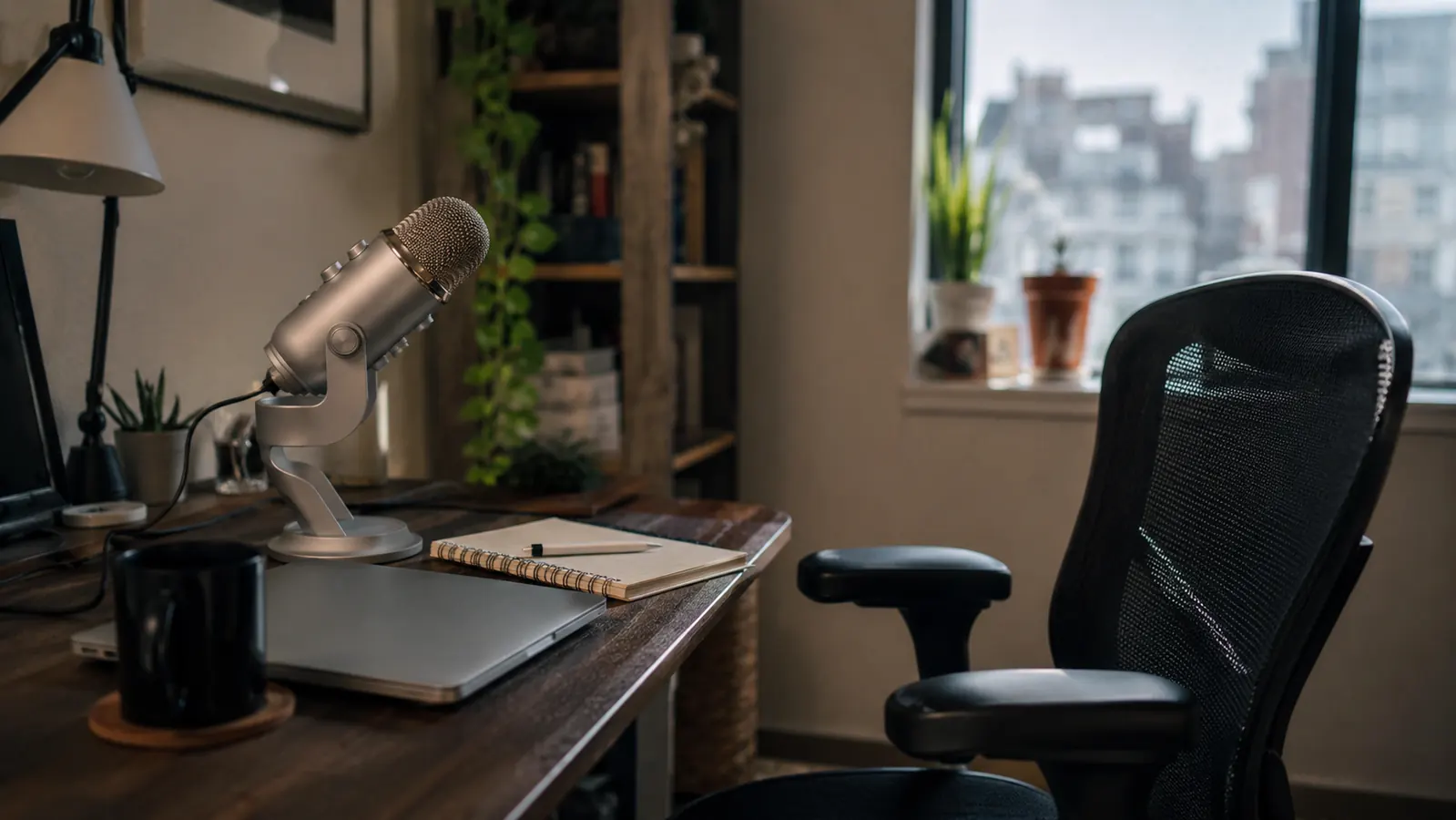
I'm Nate Colburn. I've spent eight years running remote IT projects out of a spare bedroom, and about three months ago I finally caved and bought a USB microphone after watching my own recorded training video and wincing at how thin I sounded. This isn't the story of a dramatic client callout the way some reviews start. It's slower than that, and honestly a little more useful, because what I want to cover here is everything about the FIFINE K669S that the glowing five-star reviews on Amazon don't mention.
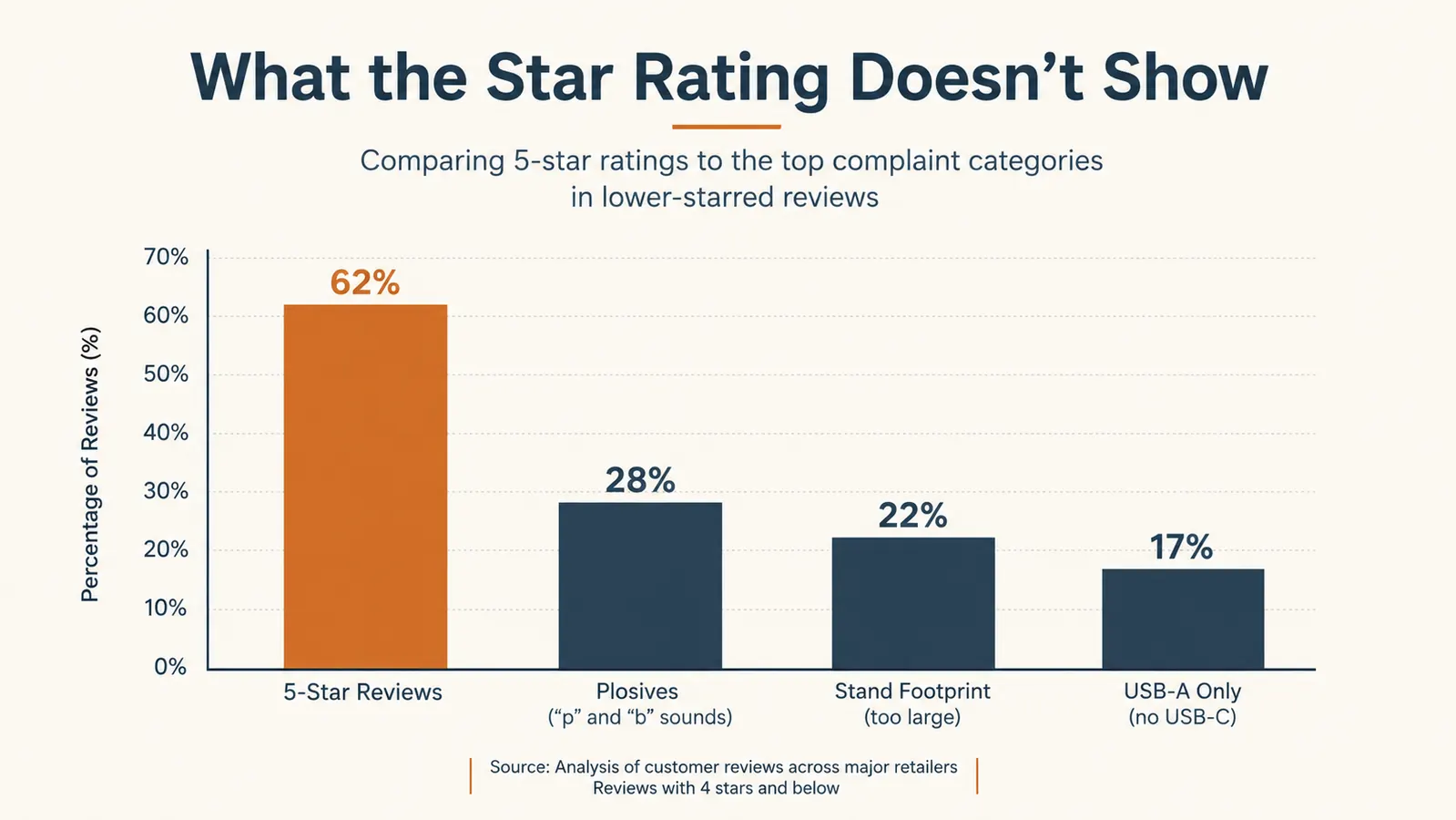
I bought this microphone with over 34,000 reviews and a 4.5-star average sitting in front of me, expecting something close to flawless. It isn't flawless. It's good, for the money it's genuinely good, but there are specific things I wish someone had told me before I unboxed mine, and this review exists so you don't have to learn them the way I did, mid-recording, three weeks in.
A big star average is a real signal, don't get me wrong, thirty-four thousand people didn't all get lucky with the same product. But an average also hides the texture of the experience. It tells you most people are satisfied, it doesn't tell you what the first two weeks of dialing in gain settings actually feels like, or which specific desk setups make the included stand annoying. That's the gap I'm trying to fill here.
The Quick Verdict
A real upgrade over a laptop mic for the price, but it has a learning curve and a couple of design shortcuts that the star average smooths over. Worth it if you're willing to spend a week tuning it.
Amazon Check Today's Price →Still Wondering If a Budget Mic Is Actually Worth It?
It is, but only if you know what you're getting into first. Here's the unfiltered version before you decide, and where to check today's price on Amazon if you want to see for yourself.
Amazon Check Today's Price on Amazon →How I Actually Tested This
I didn't just plug it in for a stand-up and call it good. Over three months I used the FIFINE K669S for daily video calls, for two solo webinar recordings I hosted for a vendor training series, and for a handful of voice memos I sent to my project team instead of typing out long status updates. That mix matters, because a mic that sounds fine on a group Zoom call with six other muffled laptop mics can fall apart the moment it's the only voice in the room and there's nowhere for its flaws to hide.
The solo recordings are where I learned the most. On a group call, small issues like a plosive pop on a hard consonant or a slight room echo get masked by everyone else's audio and by whatever compression the video platform applies. Recording a fifteen-minute training video by myself, using the FIFINE K669S as the only microphone in the room, exposed things a live call never would have. That's the test I think most reviews skip, and it's the one that actually tells you what the microphone sounds like.
I also deliberately did not read the manual or any setup guide before I started. I wanted to know what a typical buyer experiences out of the box with default settings, because that's who's actually reading this review, someone deciding whether to click buy, not someone planning to spend an afternoon optimizing gain curves. That first-week, no-manual experience is what most of the flaws below came from.
I also ran the same fifteen-minute script through my laptop's built-in mic first, as a baseline, before switching to the FIFINE K669S for the same recording a day later. The difference wasn't subtle. The laptop version sounded like it was recorded inside a closet, boxy and distant, with my keyboard clatter buried under a layer of hiss. The K669S version was noticeably fuller and closer sounding, even with the plosive issue I hadn't fixed yet. That baseline comparison is the part of this review I trust the most, because it's the one thing I could measure directly against itself rather than against my own memory of how calls used to go.
The Reviews Don't Mention the Plosives
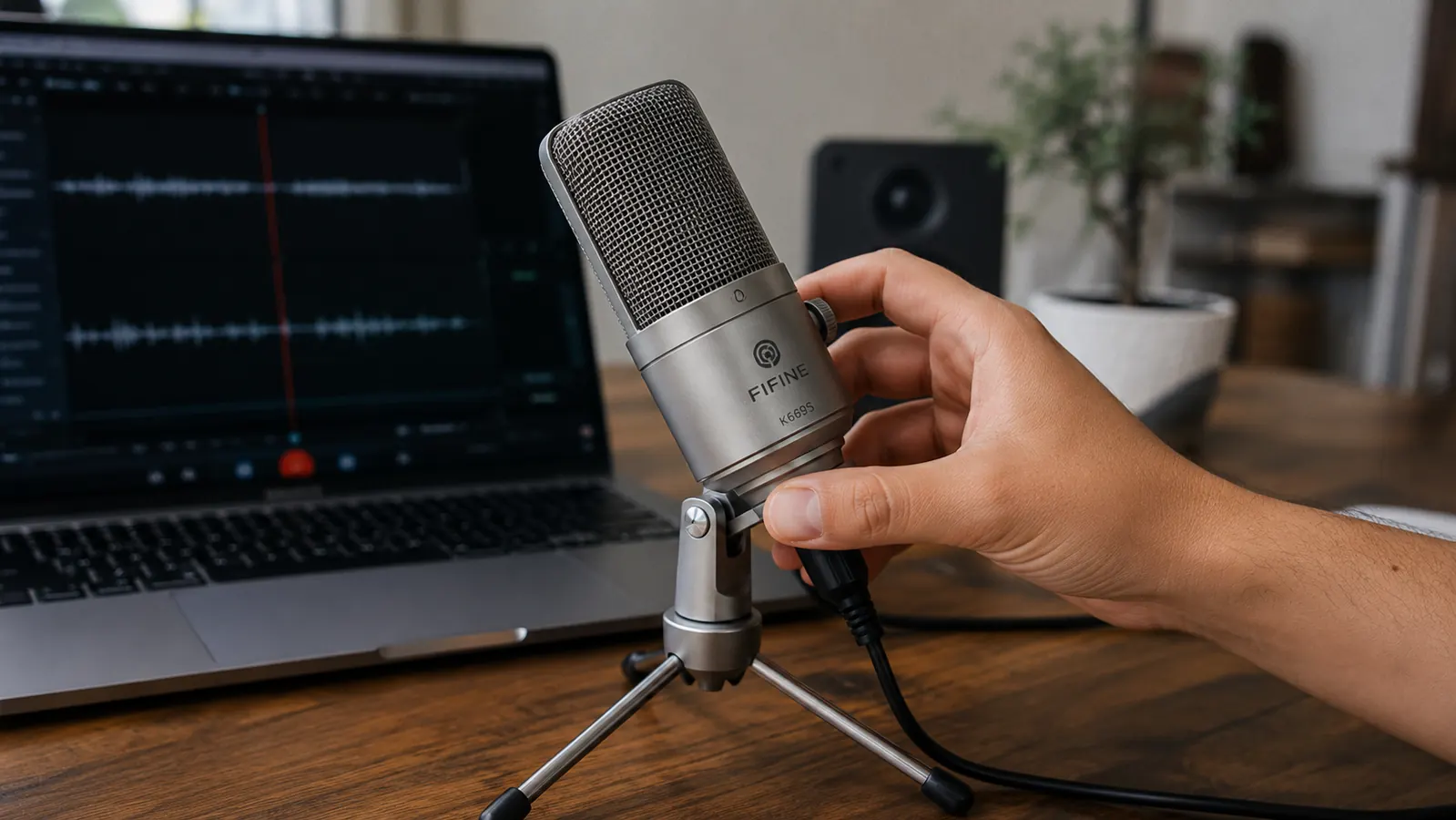
Here's the first thing that surprised me. The FIFINE K669S arrives with a foam cover pre-installed on the capsule, and I assumed that took care of plosives, the little bursts of air on words starting with P and B that make a pop or thump sound on a recording. I was wrong. On my first solo webinar recording, every third or fourth P sound had a noticeable pop in the audio. I went back and listened specifically for it after a colleague mentioned my recording sounded like I was standing too close to the mic during certain words, and sure enough, there it was.
The foam windscreen that comes with the FIFINE K669S helps with breathy sibilance and general room hiss, but it isn't a real pop filter, and it doesn't fully stop plosives the way a dedicated foam ball or a mesh screen positioned a few inches off-axis would. I ended up buying a separate five dollar pop filter and clipping it to my monitor arm in front of the mic. Once I did that, the plosive problem mostly disappeared. But nobody tells you upfront that you'll probably need a second, unrelated purchase to get truly clean solo recordings out of this thing.
For live video calls this barely matters, because platforms like Teams and Zoom compress and process audio in ways that smooth over small pops. It only became a real issue once I was recording standalone audio meant to be replayed later at full quality. If your use case is strictly live calls, file this under minor. If you're recording anything that gets saved and shared, budget for the pop filter, and budget for the small hassle of finding one that clips onto whatever you've got, since the K669S doesn't include a mount point for one.
The Gain Knob Is a Blessing and a Trap
The front-facing gain dial on the FIFINE K669S is one of its best features on paper, real hardware control instead of digging through Windows sound settings mid-call. In practice, it took me almost two weeks of small adjustments to find a setting that worked consistently, and even then it wasn't a one-and-done fix. I have a mechanical keyboard, and at anything above roughly the halfway mark on the gain dial, every keystroke registered as an audible click in my recordings, loud enough that a client asked me on a call if I was eating something.
The trap is that turning the gain down to solve the keyboard problem also makes my voice quieter, which means I have to sit closer to the mic than feels natural, roughly six inches, to keep volume consistent. Sit back to a normal conversational distance and the FIFINE K669S starts to sound thin and distant again. It's a real tradeoff, not a set-it-and-forget-it dial, and I don't think the marketing photos showing someone casually chatting a foot and a half away from the mic reflect how it actually performs at that distance in a typical home office with keyboard noise and HVAC in the mix.
What made this harder to diagnose is that the gain dial has no numbered markings, just a smooth rotation with no reference points. I ended up putting a small strip of painter's tape on the mic body and marking my preferred setting with a pen, which sounds silly but has saved me from re-tuning it every time I bump the knob while adjusting the stand. A minor thing, but it's exactly the kind of detail a two-week user wouldn't know to mention and a three-month user learns the hard way.
What Nobody Tells You About the Stand
The included tripod stand looks sturdy in photos and it is sturdy, that part holds up. What the photos don't show well is how much desk space it actually occupies once it's positioned correctly, which for me meant right in front of my keyboard, angled up toward my mouth. On a small desk, that's prime real estate, and I ended up shifting my entire keyboard and wrist position back by a few inches to make room, which took some getting used to during typing-heavy stretches of my workday.
There's also no boom arm option included or sold as a compatible accessory by FIFINE for this specific model, so if you want the mic up and out of your typing space, you're either buying a separate third-party boom arm with a compatible mount and hoping the threading matches, or you're living with the footprint the tripod takes up. I didn't research this before buying, and it was the single most annoying discovery of the first month, more annoying honestly than the plosive issue, because it's a daily physical inconvenience rather than an occasional audio glitch.
Where It Actually Falls Short of the Hype
I want to be specific here rather than vague, because vague criticism isn't useful to someone trying to decide whether to buy this. The FIFINE K669S is marketed in places as broadcast-quality or studio-grade, language you'll see repeated across a lot of budget USB mic listings. It is not studio quality. Recorded side by side against even an entry-level XLR mic and audio interface setup, the difference is obvious, less low-end warmth, a slightly thinner overall tone, and more sensitivity to room reflections in a space that isn't acoustically treated, which describes my spare bedroom pretty accurately.
It's also worth being honest that the USB-A only cable is a real limitation in 2026. My work laptop's dock still has USB-A ports so it hasn't cost me anything personally, but if you've already gone all-in on USB-C only gear, you're adding an adapter to the actual cost of ownership, and that's a detail easy to miss scrolling past the product photos on Amazon.
None of this means the FIFINE K669S is a bad product. It means the marketing language oversells it slightly, which is true of nearly everything at this price point, and I'd rather you know that going in than discover it after comparing your own recording to a YouTuber's studio setup and wondering what you did wrong. Compare it to what it's actually competing against, a built-in laptop mic or a cheap headset mic, and it wins easily. Compare it to a four hundred dollar broadcast setup, and of course it loses, that comparison was never fair to begin with.

The One Thing That Actually Surprised Me
For as much as I've spent this review being critical, there's one part of the FIFINE K669S that genuinely exceeded what I expected at this price, the built-in headphone jack for direct monitoring. I didn't think I'd use it much, but I plugged a pair of wired headphones into the mic's 3.5mm jack during my second webinar recording just to hear myself in real time, and it let me catch the plosive popping problem on the spot instead of discovering it in post. That kind of real-time monitoring is usually a feature you pay more for, and having it built into a mic in this price range is a genuine value add most competitors at the same cost skip entirely.
The mute button on the front face has also held up better than I expected functionally, it's tactile and immediate, no lag, no accidentally unmuting because I brushed it. Small thing, but on back-to-back calls it's the kind of detail that either works invisibly or becomes a daily annoyance, and with the FIFINE K669S it's stayed in the invisible-and-working category for three straight months, through daily calls, two recorded webinars, and more voice memos than I can count.
What I Liked
- Real-time headphone monitoring jack is a genuine surprise at this price point
- Tactile front mute button works reliably, no lag or accidental unmuting
- Metal build feels solid, not a plastic shell dressed up to look premium
- No drivers or companion software needed on Windows or Mac
- Meaningfully clearer than a built-in laptop mic once gain is properly dialed in
Where It Falls Short
- Included foam windscreen doesn't stop plosive pops, a separate pop filter is basically required for solo recordings
- No boom arm option, the tripod stand eats real desk space right where your keyboard sits
- Gain dial has no numbered markings and requires real trial and error to dial in
- USB-A only, no adapter or USB-C cable included
- Marketing language oversells it as studio quality, it isn't, though it's solid for calls and casual recording
A client asked me on a call if I was eating something. It was my mechanical keyboard, picked up because I had the gain dialed too high. Nobody's five-star review mentions that.
Who This Is For
If you're mostly on live video calls, Zoom, Teams, client check-ins, the FIFINE K669S is a genuine upgrade and most of what I've flagged here matters less, because live platforms compress audio in ways that hide plosives and minor gain issues. It's also a reasonable pick if you record occasional voice memos or short training clips and you're willing to spend a week tuning the gain and picking up a cheap pop filter. For the price, once you know its actual limits going in, it does the job it's built for, and it does it without asking you to install software or learn anything beyond turning one knob.
Who Should Skip It
If you're producing regular solo content, podcasts, tutorial videos, anything where the recording itself is the final product, I'd budget for a proper XLR setup with an audio interface, or at minimum a USB mic with a compatible boom arm designed in from the start. And if your desk is already tight, seriously consider the footprint of that fixed tripod before you buy, because it's not a minor detail, it's a daily annoyance if space is at a premium. If you're the kind of buyer who wants something that performs exactly like the marketing copy promises with zero adjustment period, this isn't quite that either.
Here's My Honest Bottom Line
Once I knew about the plosives, the gain curve, and the desk footprint, the FIFINE K669S has been a genuinely solid daily driver for three months of calls. Go in with realistic expectations and check today's price on Amazon to see if it fits your setup.
Amazon Check Today's Price on Amazon →