
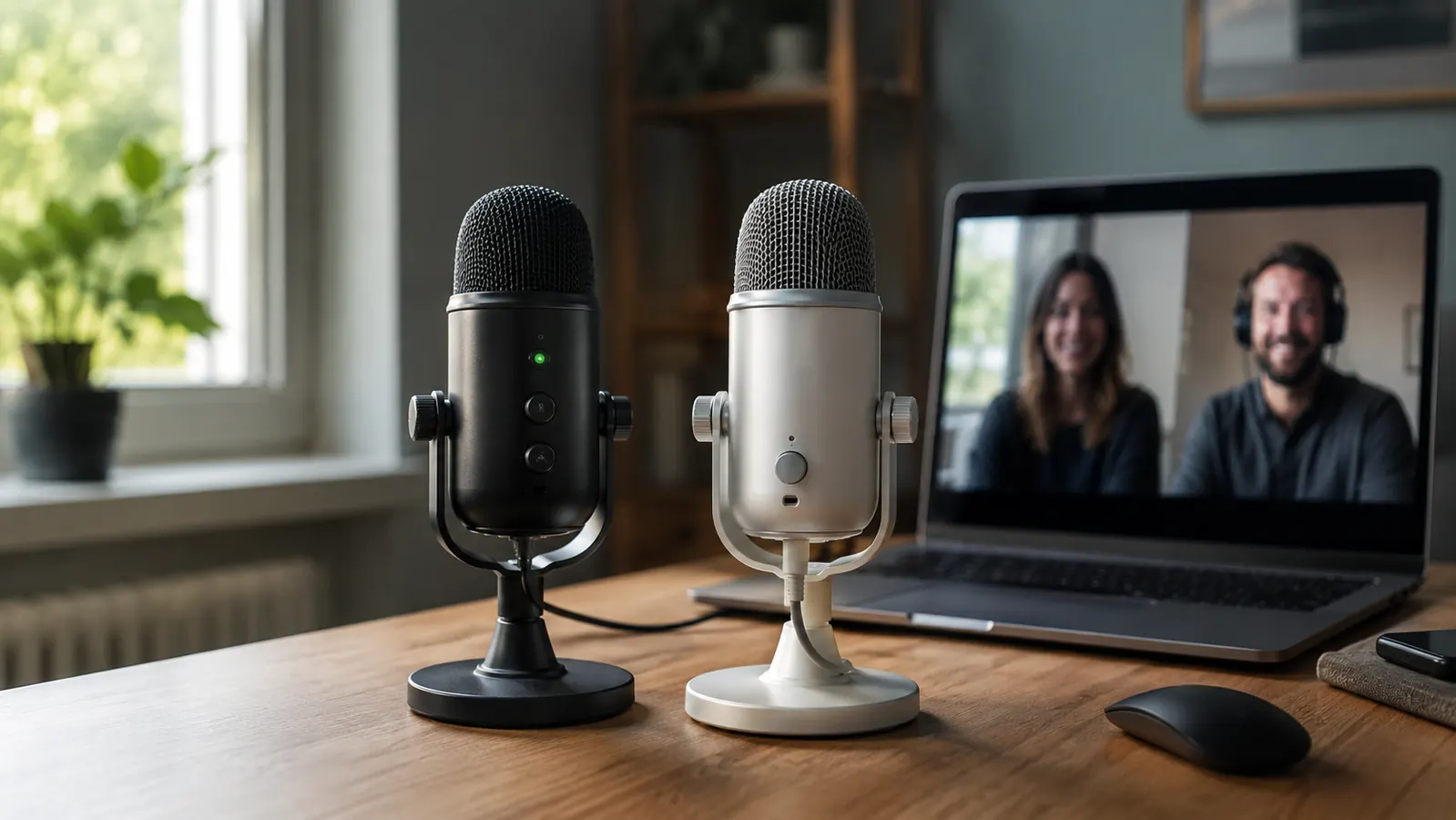
I'm Nate Colburn. I've worked remote IT project management for eight years, which means I've spent roughly a thousand hours on video calls listening to other people's laptop mics crackle, echo, and cut out mid-sentence. When my own laptop mic started doing the same thing to me during a client call last year, I went looking for a fix that didn't cost more than my monitor did.
Two names kept coming up in every forum thread and coworker recommendation: the FIFINE K669S and the Blue Yeti Nano. I ended up buying and using both, one after the other, on the same desk, for the same stand-up calls and client meetings, over a two-month stretch. This is the comparison I wish someone had handed me before I spent money twice figuring it out myself.
Before I get into specs, here's the short version. The FIFINE K669S is the mic I still have plugged in today. The Blue Yeti Nano is a good piece of hardware, and I'll give it fair credit where it earns it, but for the specific job most remote workers need a mic to do, sound clear on daily video calls without draining the budget, the FIFINE wins on nearly every metric that actually matters day to day.
Skip the guesswork. Here's the mic I still use every day.
The FIFINE K669S handled 4-5 hour call days without a single dropped connection or overheating scare. At its current price, it's the one I'd tell a coworker to buy first.
Amazon Check Today's Price on Amazon →| Spec | FIFINE K669S | Blue Yeti Nano |
|---|---|---|
| Current Price | Check today's price on Amazon | Mid-range |
| Microphone Type | Metal condenser, cardioid | Condenser, cardioid + omnidirectional |
| Gain Control | Front-facing manual gain knob | No physical gain knob, software only |
| Build Material | Solid metal housing | Plastic body with metal grille |
| Desk Footprint | Compact tripod stand, roughly 6 inches tall | Larger cradle stand, roughly 8 inches tall |
| Setup Process | Plug in, done, no app needed | Plug in, optional software for pattern switching |
| Polar Patterns | Cardioid only | Cardioid and omnidirectional |
| Best For | Daily video calls on a budget | Users who want two pickup patterns |
Where the FIFINE K669S Wins
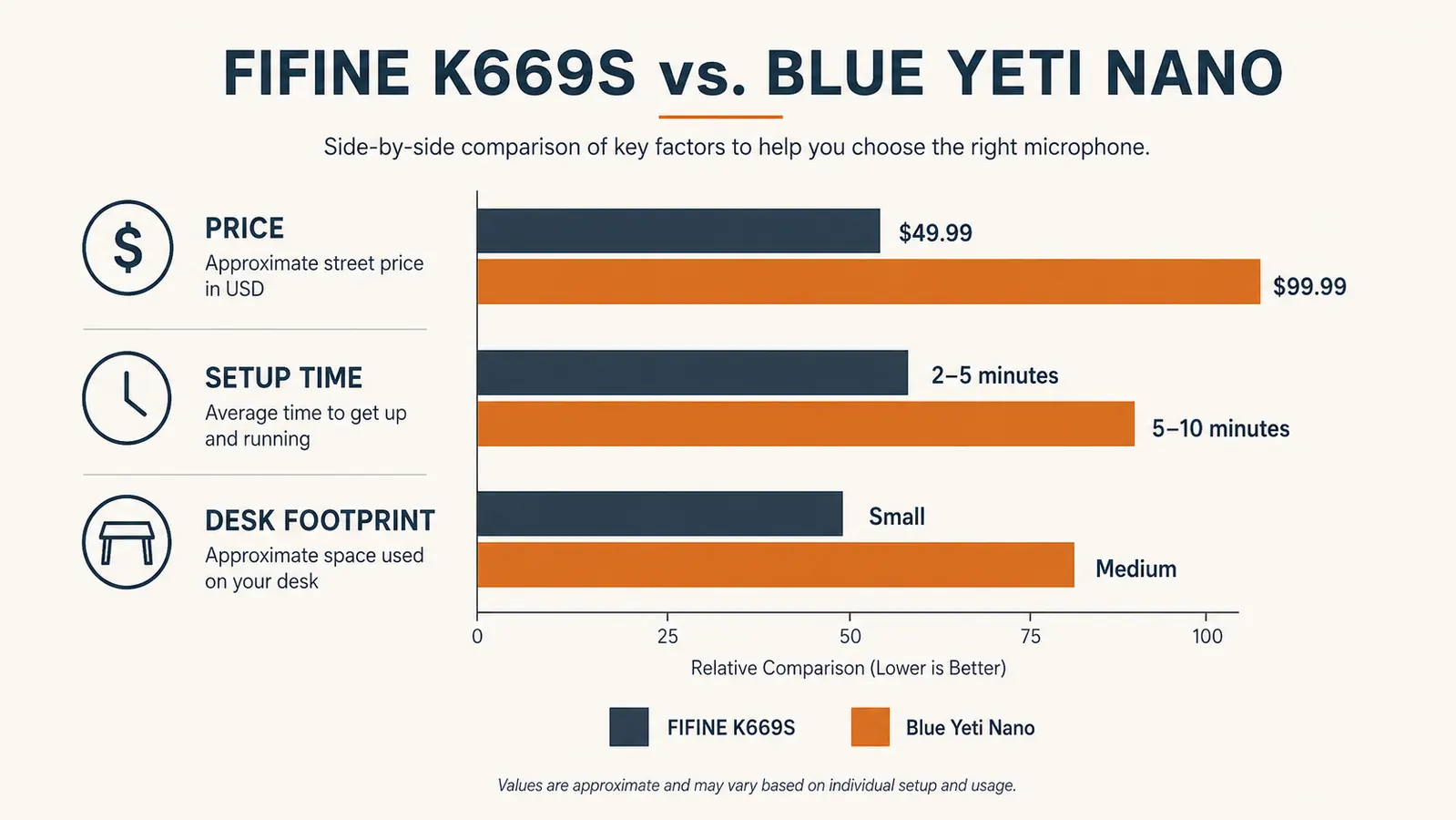
Price is the first thing. The FIFINE K669S sits well under half of what the Blue Yeti Nano usually runs, and for a mic that's doing one job, making my voice sound clear on Zoom and Teams, I don't need to pay Yeti-brand pricing to get there. I've had mine going on eight months of daily stand-ups, sprint reviews, and client calls, and the FIFINE has never been the reason a call went sideways.
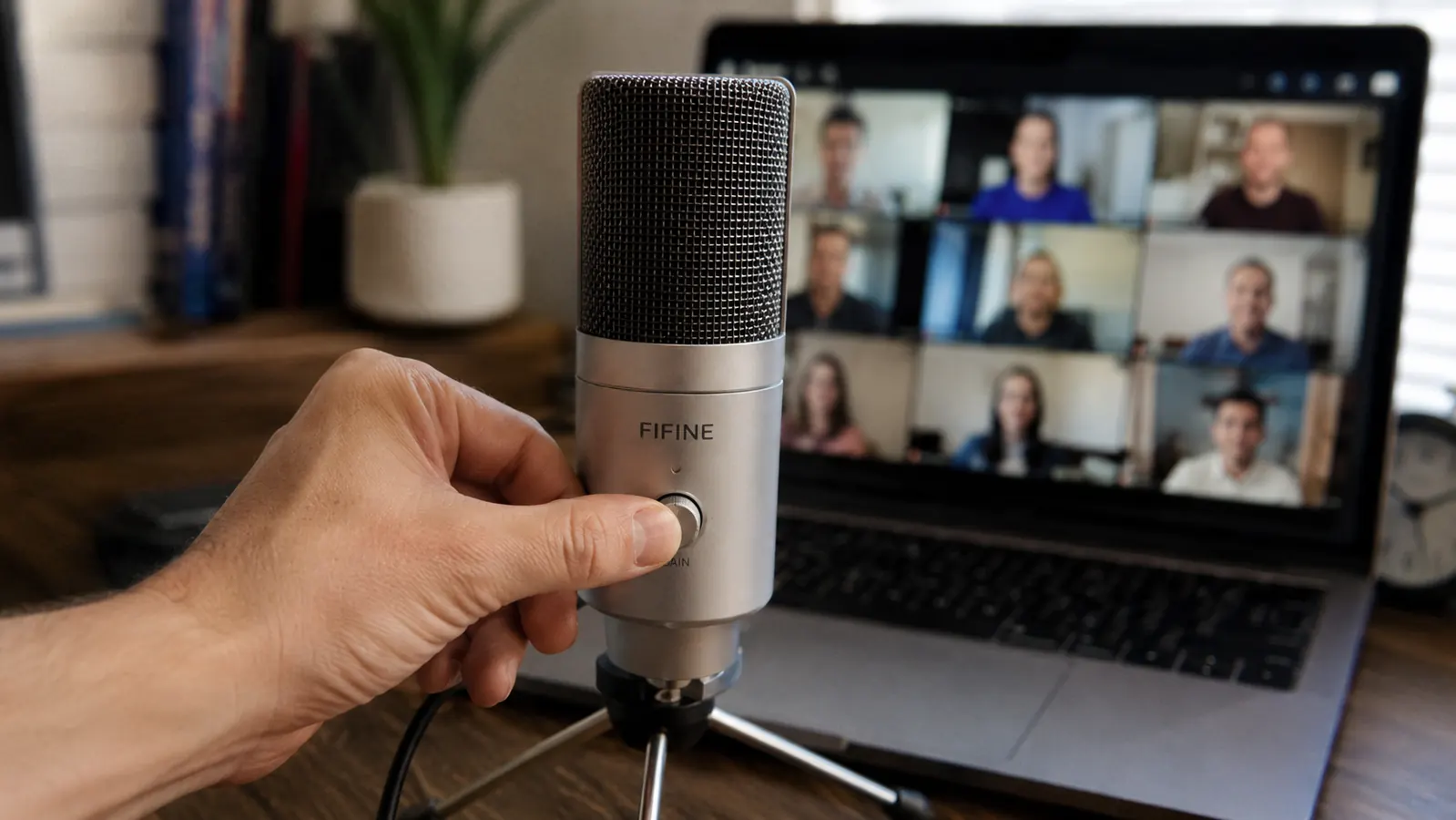
The gain knob is the other real difference, and it's the one that actually changes how I use the mic day to day. The FIFINE K669S has a physical dial on the front of the mic body, so when I jump from a quiet one-on-one into a loud team call, I can turn the input down in two seconds without digging into Windows sound settings or opening an app. The Blue Yeti Nano doesn't give you that. Its gain adjustment lives entirely in software, which means alt-tabbing out of whatever you're presenting just to fix your levels mid-call. I've done that scramble before with a different mic and it's not fun with six people staring at your screen share.
Build quality surprised me too. I expected the cheaper mic to feel cheaper, but the FIFINE K669S has a solid metal housing that's held up fine to being bumped by my elbow, knocked by a cat walking across the desk, and packed into a bag twice for a coworking day. The Blue Yeti Nano's body is mostly plastic under that metal grille, which isn't fragile exactly, but it doesn't feel like it's built for the same level of daily abuse.
Where the Blue Yeti Nano Wins
Credit where it's due. The Blue Yeti Nano gives you two polar patterns, cardioid and omnidirectional, which the FIFINE K669S doesn't offer. If you're regularly on a call with someone sitting next to you, or you record a two-person podcast from the same desk, that omnidirectional mode picks up both voices without needing a second mic. The FIFINE is cardioid only, built to capture one voice from one direction, which covers most home office use but isn't as flexible for shared-room recording.
The Yeti Nano's brand recognition also matters to some buyers. Blue built a name in the streaming and podcasting world before Logitech acquired the company, and that reputation carries weight if you're building a setup you plan to show off on camera. It's a nicer-looking piece of hardware sitting on a desk during a video call, even if the audio difference for basic call clarity is smaller than the price gap suggests. If resale value matters to you down the road, a Yeti-branded mic tends to hold interest on the secondhand market better than a lesser-known name.
Two hundred dollars saved a year for the same call clarity, that's the real math.
Between the two, the FIFINE K669S covers what most remote workers actually need from a desktop mic, at a fraction of the cost.
Amazon Check Today's Price on Amazon →How I Actually Tested Them
I didn't just plug each one in for five minutes and call it a review. I ran the FIFINE K669S for about six weeks straight on my main workstation, cycling through daily stand-ups, a couple of all-hands meetings, and one training session where I had to present for 45 minutes straight. Then I swapped in the Blue Yeti Nano for another three weeks on the same desk, same laptop, same chair distance from the mic, roughly 10 inches, same room, same time of day for consistency.
I asked two coworkers, one on my project team and one on a different team entirely, whether they could tell a difference in call quality between the two mics without telling them which was which. Both said the FIFINE sounded slightly boxier in a bare room, but once I added a cheap foam pad behind the mic to cut some echo, they couldn't reliably tell which mic I was using call to call. That result surprised me more than I expected going in, since the price gap between the two is significant.
I also tracked something less scientific but still useful: how often I had to fuss with the mic mid-call. Over those six weeks with the FIFINE K669S, I adjusted the gain knob maybe a dozen times total, always in under five seconds. With the Blue Yeti Nano, I opened its companion software four separate times to check or adjust something, and twice I had to do it while already on a call, which is exactly the kind of friction I was trying to eliminate in the first place.
The Setup Difference Nobody Mentions
One thing I didn't expect going in was how much the setup experience would differ. The FIFINE K669S is plug-and-play in the truest sense. Windows and Mac both recognize it instantly, no drivers, no companion app, no account creation. I plugged it in during a five-minute gap between meetings and was live on my next call without touching a settings menu.
The Blue Yeti Nano is also plug-and-play at a basic level, but if you want to use the omnidirectional mode or fine-tune anything beyond the default, you're opening companion software. That's not a dealbreaker, but it's an extra step that the FIFINE simply doesn't ask of you. For someone who just wants to sit down and be on time for a 9am stand-up, that difference adds up over months of daily use, especially on days when your calendar is back to back with no buffer between meetings.
Neither mic makes you sound like a broadcast booth. What they both do is stop you from sounding like a laptop speaker in a hallway, and that's the bar most of us actually need to clear.
The Real Cost of Sounding Bad on Calls
I used to think mic quality was a nice-to-have, not a real problem. Then I sat through a client call where the other project manager had to ask me to repeat myself three times in ten minutes because my laptop mic was clipping every time the HVAC kicked on. Nobody says anything about it directly, but it changes how people perceive you on a call. You come across less prepared, less polished, even when the content of what you're saying is exactly right.
An affordable mic that fixes that problem for good is one of the cheapest professional upgrades I've made in eight years of remote work. It's not about sounding fancy, it's about removing a small but constant source of friction from every single meeting on your calendar.
Who Should Buy the FIFINE K669S
It also holds up well for the odd side project. I've used mine for a couple of internal training recordings and one short screen-capture walkthrough for a new hire, and it sounded clean enough that nobody asked why the audio was different from our usual recordings. That's really the ceiling most remote workers need from a desk mic, not studio polish, just consistent, unremarkable clarity call after call.
If your use case is what mine is, daily video calls, stand-ups, client meetings, maybe a webinar here and there, the FIFINE K669S is the practical pick. You get a metal build that isn't going to crack if it gets knocked off the desk, a gain knob you can actually use mid-call, and a price that doesn't need to be justified to anyone. For a solo home office setup where the mic's only job is to sound clear on a call, I don't think the extra spend on the Yeti Nano buys you enough to matter.

Who Should Buy the Blue Yeti Nano
If you're recording with a second person in the room, doing any kind of podcast or interview work from your home office, or you specifically want the option to switch pickup patterns, the Blue Yeti Nano earns its higher price. It's also a reasonable pick if brand and resale value matter to you, since Blue mics tend to hold their reputation better than lesser-known brands, and if you're already comfortable managing a companion app as part of your workflow.
Who This Comparison Is For
This isn't written for audio engineers or people building a home podcast studio with acoustic treatment on the walls. It's written for the same person I was eight months ago, a remote worker whose laptop mic keeps cutting out mid-sentence during a client call and wants a fix that doesn't require a new hobby to understand. If that's you, the decision between these two mics comes down to whether you need a second polar pattern, and most people reading this don't.
One more thing worth naming plainly: I'm not paid by FIFINE, and I bought both mics with my own money before writing a word of this. The FIFINE K669S earned its spot on my desk the same way any tool does in an IT job, by not failing when it mattered. Eight months in, it hasn't.
Who Should Buy Which
Buy the FIFINE K669S if you're a solo remote worker who wants clean, reliable call audio without spending more than a lunch order. Buy the Blue Yeti Nano if you need dual polar patterns for shared-room recording, or if brand and resale matter more to you than the price gap. For my desk, and for most of the people I've recommended a mic to over the past year, the FIFINE is the one that stays plugged in.
Still on a laptop mic? That's the easiest fix on this list.
I've run the FIFINE K669S through eight months of daily calls with zero dropouts. It's the mic I actually keep on my desk.
Amazon Check Today's Price on Amazon →