
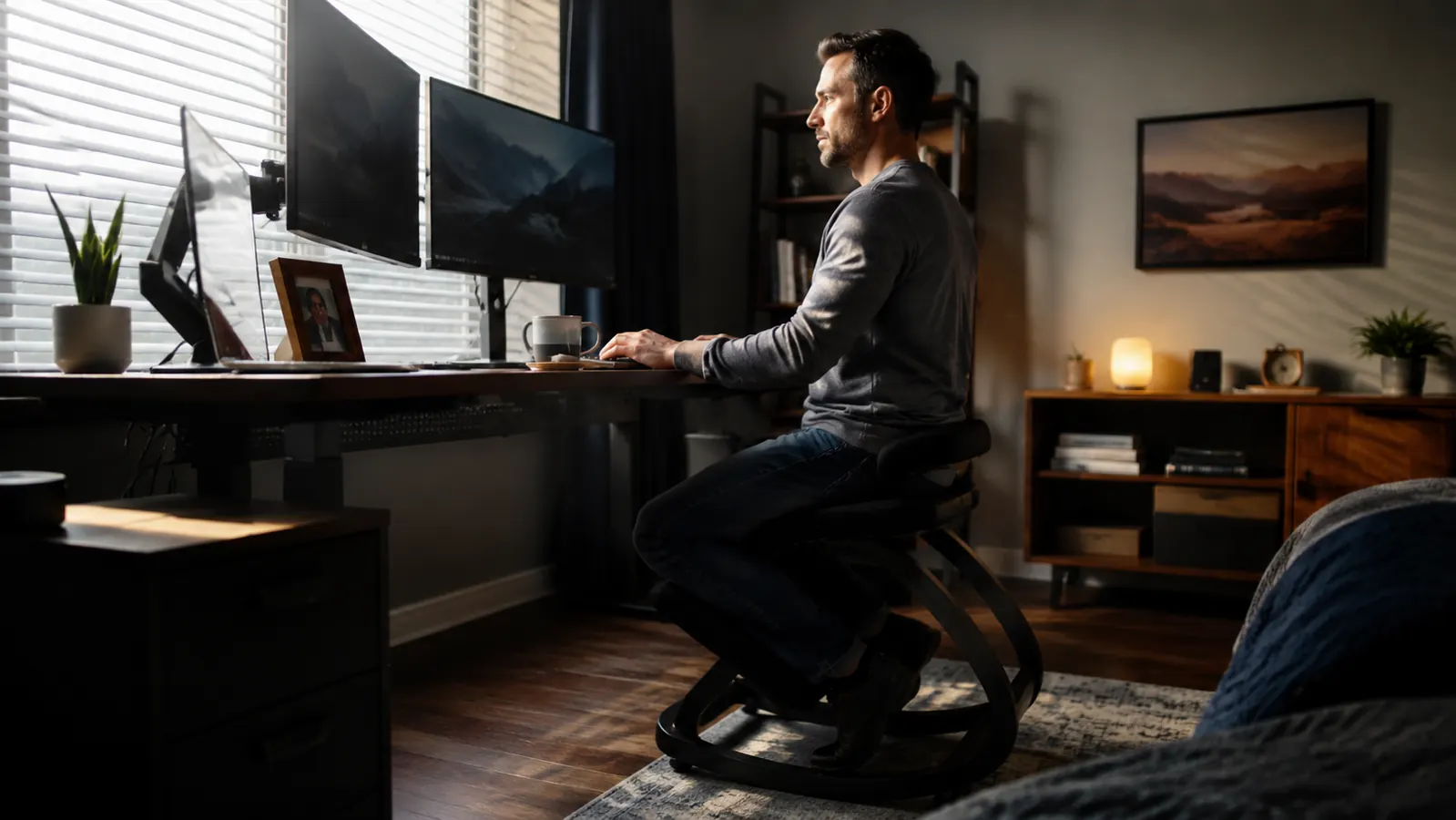
Most of the kneeling chairs I see gathering dust in other people's home offices weren't bad chairs. They were used wrong for the first two weeks, which is long enough to hurt, and short enough that the person gave up before their body adjusted. I made almost the same mistake with my own NYPOT Ergonomic Kneeling Chair when I first ordered it. I sat on it at the steepest angle for six straight hours on day one because I was impatient to fix my desk posture, and by that evening my shins were sore enough that I almost boxed it back up.
Six months later, the NYPOT kneeling chair is still part of my daily rotation, and the difference between that rough first day and where I ended up wasn't the chair itself. It was the process I should have followed from the start. This guide is that process, five steps, in order, for switching to a kneeling chair and actually fixing your desk posture without hurting your knees or shins along the way.
Fix Your Desk Posture the Way That Actually Sticks
The NYPOT Ergonomic Kneeling Chair is what I used to build this five-step process, an adjustable knee chair with a seat-angle lever, a padded shin rest, and a metal frame rated for up to 250 pounds. It's built to be eased into, not forced, which is the whole point of the steps below.
Amazon Check Today's Price on Amazon →Step 1: Start on the Shallowest Seat Angle
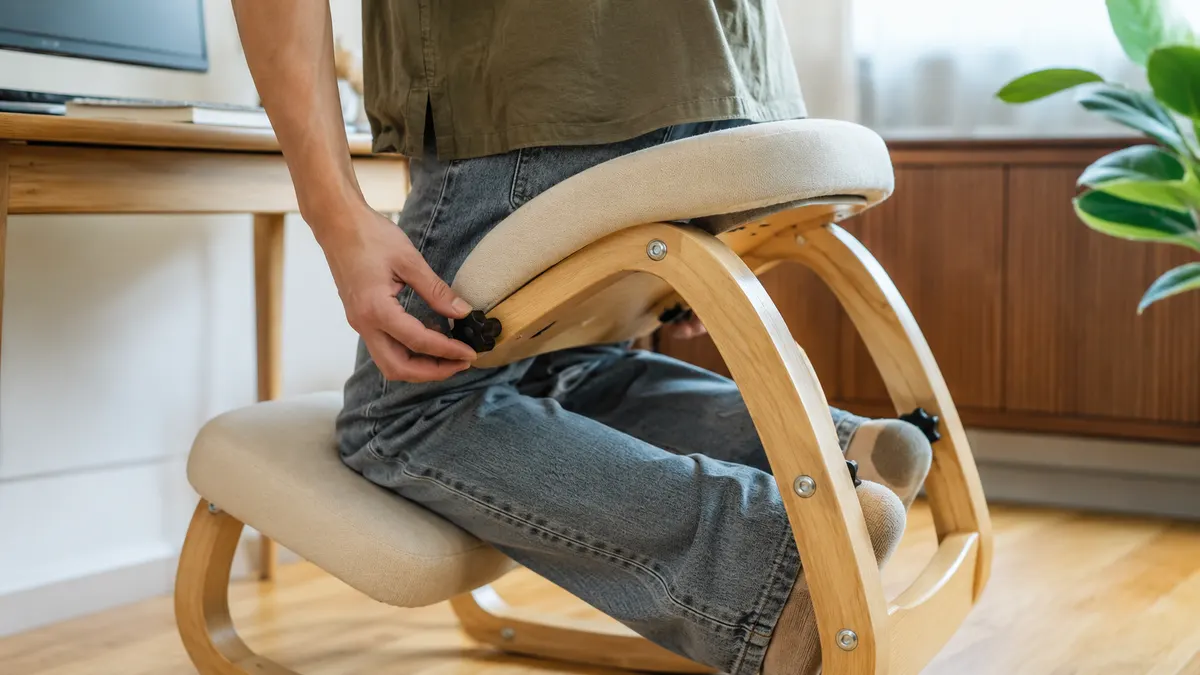
A kneeling chair fixes desk posture by tilting your hips forward so your spine stacks up naturally instead of curling toward the keyboard. The NYPOT does this through a lever on the side of the frame that controls how aggressive that forward tilt is, and the single biggest mistake I made was skipping past the shallow setting because I wanted the full effect right away.
Set the NYPOT to its most upright, least aggressive angle for your first few sessions, full stop. At the shallow setting, less of your body weight transfers onto the shin rest, which means your knees and shins get a gentle introduction instead of a full load on day one. It will feel like the chair is barely doing anything at this setting. That's the point. You're teaching your legs to bear weight in a new way, not testing how much posture correction you can force through in one sitting.
Think of it the same way you'd break in a new pair of work boots. Nobody wears brand new boots on a ten mile hike the first day out and expects their feet to thank them for it. The NYPOT's seat-angle lever exists for exactly this reason, so you can start shallow and steepen the tilt gradually as your body earns it, instead of buying a fixed-angle knee chair that only ever gives you one option.
I stayed on the shallowest angle for my first two weeks with the NYPOT kneeling chair before moving the lever even one notch steeper. That felt slow at the time. Looking back, it's the reason I never had to take a break from using it entirely, unlike a coworker of mine who bought a similar chair, cranked it to max tilt on day one, and quit using it after four days of sore knees.
Step 2: Ease In With Short, Timed Sessions
Sitting on a kneeling chair for an entire eight-hour workday in week one is the second most common reason people abandon them. Your body hasn't built up the muscle endurance to hold that new posture for long stretches yet, no matter how correct the position is on paper. Timed sessions solve this the same way you'd ease into any new physical habit, in small doses that build up gradually instead of all at once.
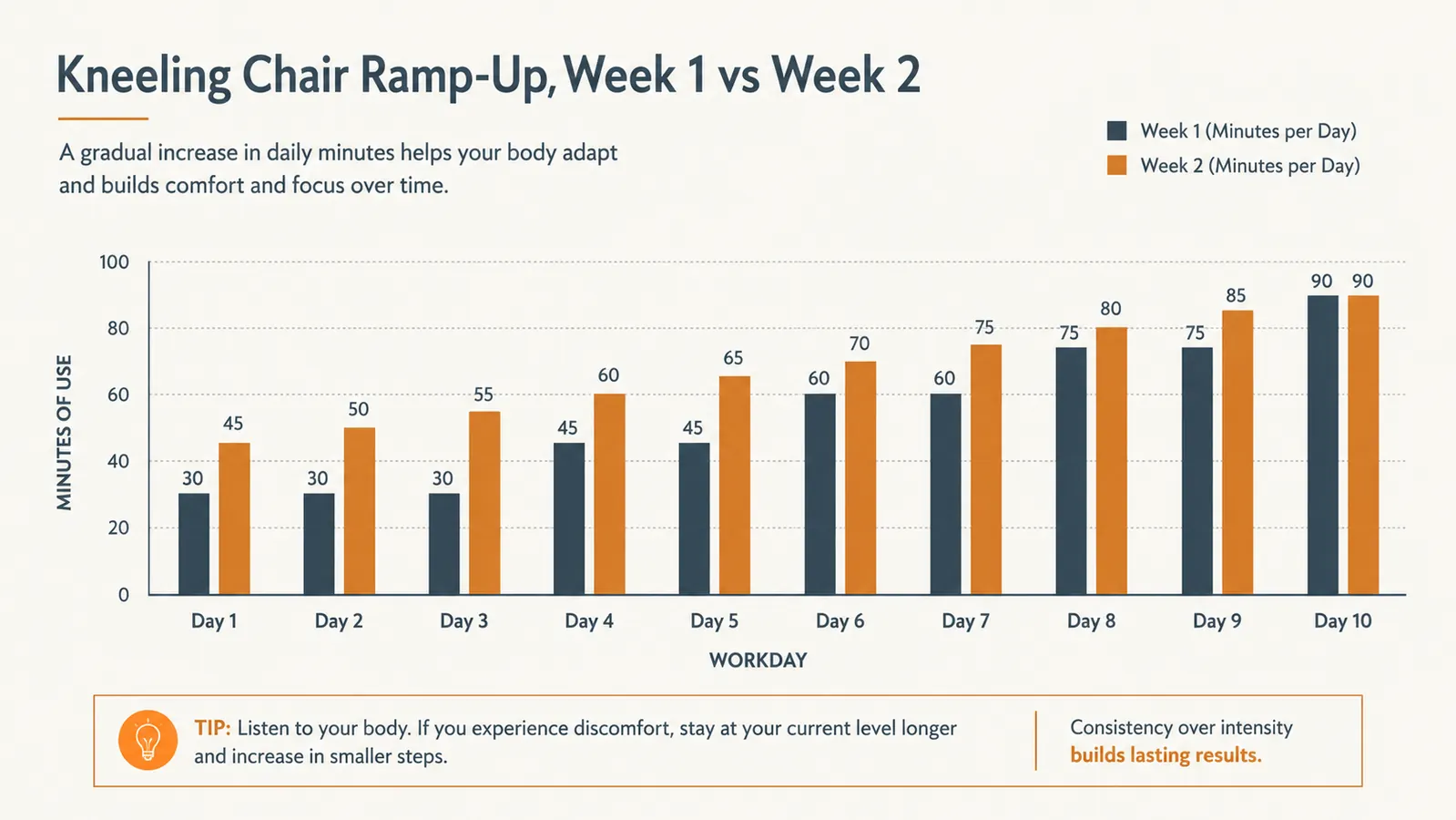
For my first week on the NYPOT, I set a timer for 30 to 45 minutes at a time, worked through emails or a standup, then rotated back to my regular office chair. I did three or four of these blocks spread through the day rather than one long stretch. By the end of week one, those blocks had stretched to about an hour each without any real effort, just from the muscles around my hips and lower back adapting to holding the position.
By week two, I was comfortable sitting on the kneeling chair for two to three hours at a stretch, still rotating back to a regular chair for the rest of the day. That ramp, from 30-minute blocks to multi-hour stretches over about ten workdays, is a realistic timeline. If you're still sore after 30 minutes by day five or six, that's a sign to stay at the shallow angle a bit longer before adding more time, not to push through it. A simple kitchen timer or your phone's alarm works fine for this, you don't need anything more sophisticated than a reminder to check in with how your legs feel.
Step 3: Get the Desk Height and Distance Right
A kneeling chair sits you a few inches lower relative to your hips than a standard office chair does, and this catches people off guard because it changes how tall your desk feels. I didn't think about this until my first week on the NYPOT, when I noticed I was hunching my shoulders up toward the keyboard, the exact posture problem I'd bought the chair to fix in the first place.
Before you commit to a full session on the kneeling chair, sit on it at your desk and check where your forearms land relative to your keyboard and where your eyes land relative to your monitor. If your shoulders are creeping up to reach the keys, your desk is effectively too tall for the kneeling position, and a sit-stand or height-adjustable desk gives you the easiest fix, since you can drop it an inch or two for kneeling-chair sessions. If your desk is a fixed height like mine, a slim desk riser under your monitor can bring the screen back to eye level without you needing to crane your neck forward.
Check your monitor distance while you're at it. The forward hip tilt on the NYPOT naturally brings your torso a little closer to the desk than a regular chair does, so a monitor positioned for your old seated distance can end up slightly too close once you switch. An arm's length away, roughly 20 to 28 inches from your eyes, is a reasonable starting point to measure from once you're seated on the kneeling chair rather than guessing from your old setup.
This step matters more than most people expect, because getting the seat angle and session length right on a kneeling chair does nothing for your desk posture if your desk height is fighting the correction the whole time. Five minutes of checking this before your first real session on the NYPOT saves you from developing a new bad habit while fixing an old one.

Step 4: Rotate With a Regular Chair Instead of Forcing All-Day Use
A kneeling chair works best as part of a rotation, not a full replacement for your regular office chair, at least for the first month or two. I still switch between the NYPOT and my old office chair most days, spending roughly three to four hours on the kneeling chair and the rest of the day in a regular seat with back support. That split has done more for my desk posture over time than trying to force the NYPOT to carry the entire workday.
The reason this matters is simple: a kneeling chair has no backrest by design, since the forward tilt is what keeps your spine upright without leaning on anything. That's effective for shorter stretches, but by the end of a long day, most people, myself included, want something to lean back into for a few minutes. Planning for that rotation from the start, instead of treating a return to your old chair as a failure, keeps you using the NYPOT consistently instead of burning out on it in week three.
Keep both chairs within arm's reach of your desk if you can. I keep my regular chair positioned right beside the NYPOT so switching between them takes seconds, not a rearrangement of my whole office. The easier the rotation is physically, the more likely you are to actually stick with it past the first month. A good sign you're ready to add more kneeling-chair hours to the mix is simple: you stand up from it without noticing any stiffness in your knees, and you find yourself reaching for it again before your timer even goes off.
Step 5: Protect Your Knees and Shins While You Adjust
Some soreness in the shins and the tops of the knees during the first one to two weeks on a kneeling chair is common and expected, but there's a difference between mild adjustment soreness and something you should back off from. I noticed light soreness through my first ten days on the NYPOT that faded almost entirely by week three as the pressure points adapted. If soreness is sharp, doesn't ease up overnight, or gets worse instead of better as the days go on, that's a signal to drop back to a shallower seat angle or shorten your sessions, not push through it.
If you have existing knee issues, it's worth testing the NYPOT cautiously and checking with a doctor before committing to daily use, since the shin rest is exactly where a kneeling chair places a portion of your body weight. This guide is about comfort and posture habits, not a medical recommendation, and your own body is the best judge of whether a kneeling chair is a fit for you.
One small thing that helped me physically was floor protection. My office has mid-pile carpet, and the NYPOT's base feet left faint indentations after a few weeks of sitting in the same spot. A cheap plastic chair mat, the same kind people use under rolling office chairs, solved that and also gave the shin rest a slightly more forgiving surface to sit over on carpet that had started to compress.
What Else Helps
A kneeling chair like the NYPOT handles the biggest part of fixing desk posture, but it isn't the only variable. Standing up and walking around for a couple of minutes every hour, kneeling chair or not, keeps your hips and lower back from locking into any single position for too long. A few basic desk stretches, rolling your shoulders back and gently extending your lower back, take under a minute and pair well with the rotation described in step four. I do a quick version of both between video calls most days, and it costs me nothing in terms of time.
None of this replaces the chair. It just rounds out the habit once the core piece, a proper adjustment period on the NYPOT itself, is already in place. The five steps above are what actually determine whether a kneeling chair sticks around your office for years or ends up folded in a closet after two weeks, and the difference between those two outcomes usually comes down to how much patience you give the first ten days.
The chair isn't what makes people quit. Going straight to the steepest angle for a full eight-hour day in week one is what makes people quit.
Ready to Fix Your Desk Posture Without Wrecking Your Knees First
The NYPOT Ergonomic Kneeling Chair's adjustable seat angle is what made this five-step process possible in the first place, easing in on the shallow setting, then working up from there. It's the same chair I've used at my own desk for six months, and it's still the first thing I recommend to anyone starting from scratch.
Amazon Check Today's Price on Amazon →